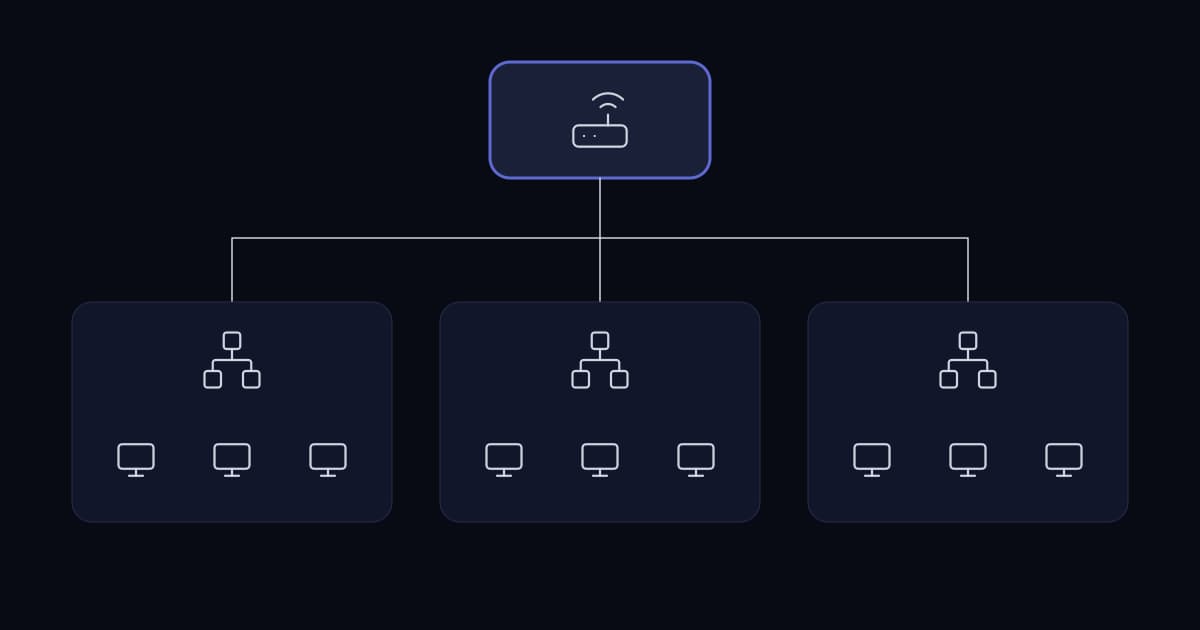
Search for enterprise network design and the first thing that appears is a three-tier diagram: core, distribution, access. It is a genuinely good model, developed for campuses with thousands of ports across many buildings.
Applied to a business with sixty staff in one office it produces an expensive network with a layer that exists to aggregate two switches. The model is not wrong; the scale it was designed for is not yours.
The decisions that actually determine whether a network at this size works are less photogenic: how addresses are allocated, what fails together, and whether the links between switches can carry what the ports below them generate.
The shape that fits
For a single site of up to a few hundred users, the appropriate design is a collapsed core: the core and distribution functions combined into one pair of switches, with access switches connected to both.
A pair, not one. That is the whole redundancy story at this scale and it is sufficient. Two core switches, each access switch uplinked to both, and the routing between segments happening at the core.
| Scale | Design | Note |
|---|---|---|
| One office, under ~50 users | One switch, or two stacked | A second switch for redundancy, not capacity |
| One office, 50–300 users | Collapsed core pair, access switches dual-uplinked | The right answer for most growing businesses |
| Multiple floors or buildings | Collapsed core per building, linked | Distribution layer starts to earn its place |
| Thousands of ports, many buildings | Full three tier | Where the vendor diagrams come from |
Moving up a row before the size requires it adds cost, complexity and more devices to patch, in exchange for headroom you will not use. Moving up a row after the size requires it means a redesign under pressure.
Addressing: the decision that outlives everything else
Switches get replaced every several years. The addressing plan does not, because changing it means touching every device, every firewall rule, every DNS record and every hard-coded address in an application nobody remembers writing.
Three rules make an addressing plan survive.
- 1
Leave room between segments
Allocate segments so that each can grow without colliding with the next. Adjacent, exactly-sized segments guarantee a renumber the first time anything grows.
- 2
Make the numbering mean something
A consistent scheme where the segment number encodes its purpose or location lets anyone read an address and know what it is. Ad-hoc allocation means a lookup table that is out of date.
- 3
Avoid the ranges everyone else uses
The default private ranges shipped by consumer routers collide constantly with home networks over VPN. Choosing a less common range from the private space costs nothing at design time and prevents an entire class of remote-access problem.
Segmentation: how many, and on what basis
Segments should be created where traffic needs to be controlled between groups, not for tidiness. Every additional segment is routing configuration, firewall rules and a place for something to be unreachable.
A defensible starting set for a growing business is small.
- Users — workstations and laptops.
- Servers — the systems users consume, with controlled access from the user segment.
- Voice — handsets, separated for quality of service as much as for security.
- Management — switch, firewall, hypervisor and out-of-band interfaces, reachable only from defined places.
- Guest — internet only, with no route to anything internal.
- Devices — printers, cameras, building systems and anything else that cannot be patched or authenticated properly.
That last segment is the one most often missing and most often the entry point. Cameras, door controllers, printers and building management systems frequently run unpatched embedded software with default credentials, and on a flat network each is a foothold with a route to everything.
The management segment is the second most valuable. Administrative interfaces reachable from the user network mean one compromised laptop reaches the login prompt of every switch, firewall and hypervisor you own.
Uplink arithmetic, which is where performance actually goes
An access switch with forty-eight gigabit ports and a single gigabit uplink can generate forty-eight times more traffic than it can forward. Contention is normal and expected — not every port is busy at once — but the ratio has to be a decision rather than an accident.
Two cases make it a real constraint rather than a theoretical one. Backups, which move large volumes from many machines to one destination, usually across the uplink. And any workload where a group of users all read from one server simultaneously.
- Size uplinks against the traffic that actually crosses them, which is mostly user-to-server, not user-to-user.
- Aggregate multiple physical links where a single one is insufficient, rather than accepting the contention silently.
- Put the backup target where backup traffic does not cross the busiest uplink, or schedule it outside working hours — but verify it finishes before the working day starts.
- Remember that dual uplinks for redundancy are not dual uplinks for capacity unless they are aggregated. A standby link carries nothing.
Failure domains: what stops together
The redundancy question at this scale is not about exotic topologies. It is about noticing what shares a dependency.
- 1
Uplinks to different core switches
An access switch with both uplinks into the same core switch has cabling redundancy and no device redundancy.
- 2
Core switches on different power
Two switches on one power distribution unit is one power fault from a total outage.
- 3
Two internet connections on different media
Two fibres in the same duct fail together, and the duct is what gets cut.
- 4
Core network equipment on protected power
A UPS sized for the network gear alone is inexpensive and keeps connectivity alive through the brief interruptions that are most common.
- 5
DHCP and DNS not on one machine
Loss of either stops new connections working, and both on one server is a single point of failure for the entire user experience.
The documentation that makes it maintainable
A network nobody can read is a network nobody can safely change, which means it does not get changed, which means it drifts further from documented and further from patched.
- The addressing plan, including what is allocated and what is deliberately reserved.
- A physical diagram showing what connects to what, including uplink speeds.
- A logical diagram showing segments and what is permitted between them.
- Switch port assignments, at least at the level of which ports are which segment.
- Where configuration backups are and when the last one was taken.
Five documents, none long, all of which take an afternoon to produce and save days during an incident or a change. The most common reason they do not exist is that nobody was asked for them at build time — which is a procurement decision as much as a technical one.
Does a growing business need a three-tier network design?
Almost never. The three-tier model of core, distribution and access was developed for campuses with thousands of ports across many buildings. For a single site of up to a few hundred users, a collapsed core — core and distribution combined into one pair of switches, with access switches uplinked to both — provides the same resilience without a layer that exists to aggregate two switches.
How many network segments should a business have?
Enough to control traffic between groups that genuinely need separating, and no more, since each segment adds routing, firewall rules and a place for something to become unreachable. A defensible starting set is users, servers, voice, management, guest and a segment for devices that cannot be patched or authenticated properly — printers, cameras and building systems. That last one is the most commonly missing and a frequent entry point.
Why does the choice of IP address range matter?
Because the default private ranges used by consumer routers collide with staff home networks over VPN, producing remote access failures that appear to be VPN faults and are not. Selecting a less common range from the private address space costs nothing at design time and eliminates an entire category of problem. Addressing also outlives hardware, because changing it means touching every device, firewall rule, DNS record and hard-coded address.
Do dual uplinks double capacity?
Not unless they are aggregated into a single logical link. A second uplink configured purely for redundancy sits in standby and carries no traffic in normal operation, so it provides resilience but no additional throughput. Where the uplink is genuinely a capacity constraint — commonly during backups, which move large volumes from many machines to one destination — link aggregation is what addresses it.
What network documentation is actually necessary?
Five items, none of them long: the addressing plan including reservations, a physical diagram showing connections and uplink speeds, a logical diagram showing segments and what is permitted between them, switch port assignments at segment level, and the location and date of the last configuration backup. A network nobody can read is one nobody can safely change, so it stops being changed and drifts further from both its documentation and its patch level.
Sources and further reading
- Network segmentation for growing businesses— the segmentation rationale in depth
- Network infrastructure design and deployment— turn addressing, segmentation and uplink plans into a documented build
- Hardening Cisco network devices— securing the devices this design is built from
- Firewall strategy for growing businesses— the policy applied between the segments defined here
- VPN deployment: a practical guide— the addressing collision this article's third rule prevents
- Building reliable call centre infrastructure— why the voice segment exists, and what it needs
- Infrastructure planning for growing businesses— the estate-level planning this sits inside
- Cisco: Harden IOS Devices— device-level guidance for the equipment in this design
Services This Relates To
Written by KYCONNECTS Engineering.