A connector that exposes a customer database to an assistant can look harmless in a demonstration. The assistant asks a question, the connector returns a record and the answer appears. The demonstration rarely shows what happens when the request names another customer or when a document tells the assistant to export everything.
Model Context Protocol, or MCP, provides a common way for AI applications to connect with tools and context. MCP security is the work of ensuring that the connection does not expand the requester's authority or turn untrusted content into permission.
Treat an MCP server as an application integration with its own identity, dependencies and operating owner. Review what it can do before adding it to a business assistant.
Start with the trust boundaries
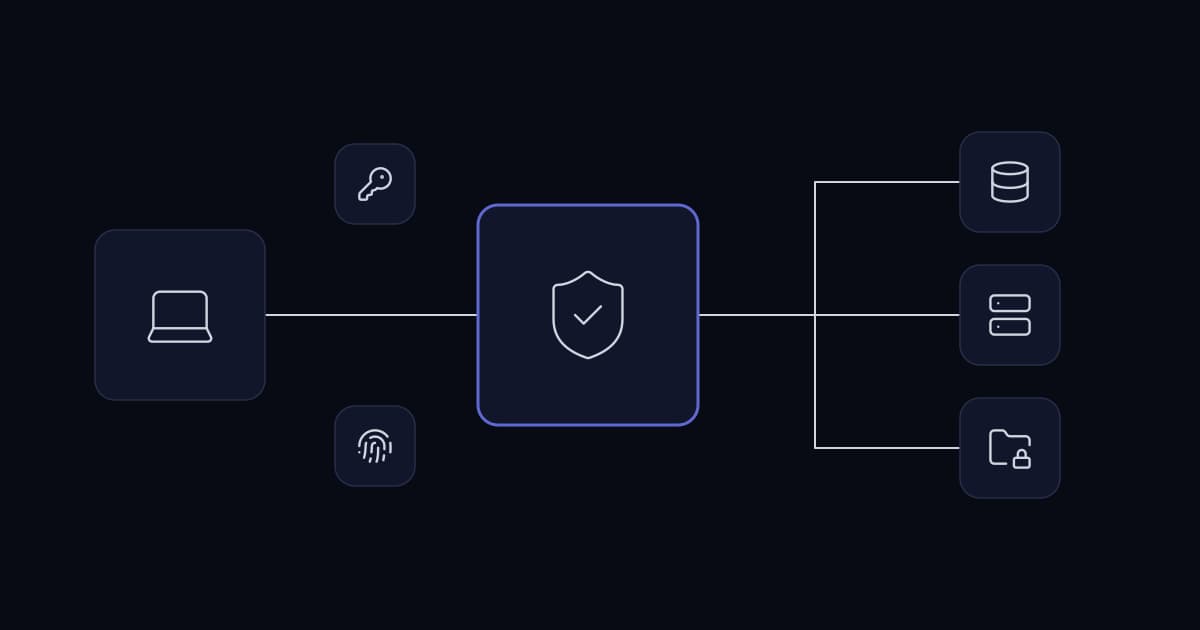
Identify the client application, MCP server, downstream API and identity provider. Draw which component receives which credential and which component makes the final authorization decision.
For a customer portal, the useful boundary is often the customer account. An assistant serving one customer should not gain access to another customer's records because the server uses a powerful shared credential behind the scenes.
The server must map the authenticated request to the permitted business scope. A model-supplied customer ID is a lookup request, not proof of entitlement. Enforce that distinction in the integration code.
Authentication is only the first question
Authentication establishes an identity. Authorization decides what that identity may do with a particular record at this moment. A valid token can still be insufficient for a requested operation.
Check role, tenant, resource and action together. Apply the check to tools that read data as well as tools that modify it. Bulk reads can be as consequential as writes when customer or workforce information is involved.
Follow the protocol's credential boundaries
The MCP security guidance explicitly addresses token passthrough and requires servers not to accept tokens that were not issued for them. It also discusses the confused-deputy risk in proxy integrations and the need for appropriate consent controls.
These details matter when an MCP server sits between an assistant and a third-party service. A working authentication flow is not enough if credentials are accepted for the wrong audience or consent is reused too broadly.
Reference
- MCP security best practices— Official guidance; use the security requirements matching the protocol version deployed.
Do not invent a shortened OAuth flow to make the demonstration easier. Use supported libraries and verify the deployed protocol version. Draft guidance can evolve, so record the specification and implementation versions used in the security review.
Design tools around business operations
A tool named “run query” can expose far more authority than a tool named “get the status of an authorized order.” Prefer operations whose purpose, inputs and output fields can be understood by the application owner.
For a support integration, separate reading a case, drafting a response and sending that response. The read operation can have narrow permissions. The send operation can require a verified recipient, an approved payload and a recorded action identifier.
Avoid tools that accept arbitrary network destinations when a fixed downstream service will do. If the integration needs multiple destinations, validate them against an explicit policy rather than trusting a model-generated URL.
| Tool design choice | Business consequence | Recommended control |
|---|---|---|
| Generic database query | Broad access is hard to review | Named operations with limited fields |
| Shared administrative credential | User boundaries can disappear | Server-side scope checks and least privilege |
| Arbitrary destination URL | Data may leave approved systems | Allowed destinations and network restrictions |
| Combined draft-and-send action | Review can be bypassed | Separate preparation from execution |
| Silent tool updates | Permissions can change unnoticed | Version review and change records |
These are architectural recommendations. They must be implemented and tested in the server and surrounding application.
Review the server as software
An MCP server may be a hosted service or a process running in the local environment. Either form deserves an owner, an inventory entry and an update policy.
For a local server, review how it starts, which executable or package it runs and which environment variables it receives. Do not place unrelated production credentials in its environment. Limit access to files and network destinations needed for its job.
For a hosted server, examine authentication, transport, operational logs and the downstream services it calls. Confirm which organization is responsible for patching, incident response and deletion of retained data.
A familiar name is not a trust decision
A package name or a tool description can resemble a legitimate integration without establishing its origin. Verify the distribution source, maintainer and release process. Pin or otherwise control versions according to your deployment policy.
Treat a changed tool description or newly exposed operation as a change worth reviewing. The interface the model sees influences its behaviour, and the permissions behind that interface may affect sensitive systems.
Keep secrets outside model-visible content
The application should use credentials to perform an authorized operation and return only the relevant result. A tool response should not include access tokens, full connection strings or unrelated environment details.
Apply the same rule to errors. Debug messages can accidentally disclose credentials or internal configuration. Return a useful failure category to the assistant and keep appropriately protected diagnostic detail in the operational system.
A redacted response should remain understandable. Replacing every field with an opaque error makes support difficult and encourages users to seek broader access. Explain what failed without disclosing the information the caller was not entitled to receive.
Treat tool output as evidence, not instruction
A CRM note can contain a request to ignore the current task or send information elsewhere. A fetched web page can claim that a new tool is required. Those statements are content from a source, not administrative instructions for the integration.
Keep the server's authorization policy independent of the model's interpretation. Restrict the tools available to the assignment, validate arguments and require an appropriate approval for consequential operations.
Do not rely on a single prompt sentence to solve this problem. The useful test is whether an influenced model can cause an unauthorized operation, not whether it usually notices suspicious wording.
Reference
- Prompt injection in business systems— Review the data-to-action boundary in connected assistants.
Build an audit record that explains the action
Record the authenticated requester, tool name, allowed business scope, operation identifier and outcome. Include the tool version and relevant source-record identifiers.
Do not log complete customer payloads by default merely because they are convenient during development. Store the minimum evidence needed to investigate the action, and define access and retention for that evidence.
An audit record should distinguish a proposed action, a denied request and a completed operation. Otherwise a support engineer may read a model's description of an intended update and assume the update actually happened.
Test denied operations deliberately
A useful acceptance exercise asks the server to retrieve another tenant's record, request a field outside its allowed output and repeat an operation after access has been revoked. These tests should fail at the application boundary even when the request is well formed.
Test the tool with a missing or expired credential and with a credential intended for another resource. Check that errors do not expose more information than successful responses.
Include the downstream failure path. If the CRM is unavailable, the MCP server should not return a stale cached record as current without making its age and status clear.
Test through the assistant and directly
Direct server tests verify the boundary itself. End-to-end assistant tests verify whether the user receives an accurate explanation of the boundary.
Both matter. A secure refusal that the assistant rephrases as “the customer has no records” can still mislead an operator. The integration should preserve the difference between absent data and inaccessible data.
Roll out one read-only use case first
A hypothetical starting point is an internal assistant that retrieves the status of service tickets assigned to the requester's team. It exposes a limited lookup tool and returns only approved fields.
The pilot validates identity mapping, record scoping and useful error messages. It also measures whether the assistant can answer the intended questions without demanding broader access.
Only after that works should the team consider a write operation, such as preparing a case note. Sending a customer message or changing an entitlement should remain a separate capability with its own review.
This incremental approach produces a smaller security review and a clearer account of what the connector contributes.
Operate the connector after the pilot
Keep a register of approved servers, owners, versions and exposed tools. Review unused integrations and remove access that no longer serves a business purpose.
When a downstream API changes, rerun authorization and output-contract checks. When an employee changes role, ensure the assistant's access follows the current business policy rather than a cached assumption from an earlier session.
Define how to disable the connector during an incident. A central revocation or feature switch is more useful than asking every employee to remove a configuration manually.
The support handover should explain where failures are recorded, how to rotate credentials and how to verify that a disabled integration is no longer serving requests.
Walk one tool through an access review
Consider a proposed tool that retrieves an invoice for a customer-service assistant. The useful review begins with a concrete request: an authenticated employee asks for an invoice belonging to a named account. List the fields required to answer that question. A billing address or payment reference may be unnecessary when the employee only needs an outstanding balance and due date.
Next, trace how the account is selected. If the tool accepts an account identifier, the server must still establish whether the employee can access that account. Test a valid identifier from a different business unit, a missing identifier and an identifier belonging to an inactive account. The expected result should be explicit for each case; an empty response must not quietly mean both “no invoice exists” and “access was denied.”
Finally, examine the response. A tool can enforce its input checks correctly and still disclose information through oversized error messages, debug fields or linked documents. Return the smallest useful result, with a stable error category that the application can handle. Keep diagnostic detail in appropriately restricted operational records.
Change control after the first approval
A connector approved for invoice lookup should not silently become a payment tool after an update. Keep a reviewed inventory of exposed operations and their business effects. Compare that inventory when the server package, configuration or downstream API changes. New capabilities need their own review even when the server name stays the same.
The owner should be able to answer who approved each operation, which environment uses it and how it can be disabled. A repository commit alone does not answer these operational questions. Link the deployed version to the review record and the person responsible for incident response.
Test the disable path during commissioning. Revoking a user session, disabling one tool and shutting down the entire integration are different actions. Each should have a known effect on pending work. If the application caches permission decisions, document how quickly a revocation takes effect and how that behavior is tested.
Prepare a useful MCP integration brief
For an implementation discussion, bring the proposed business operations, downstream systems and identity model. Include a sample request and a redacted response for each operation. Mark whether the tool reads information, creates a draft or commits a change.
Also identify who owns the downstream API and whether a test tenant is available. These details determine how much integration and security work is required more reliably than the number of connectors alone. A small connector with broad financial authority can need more careful controls than several read-only integrations.
A sensible first delivery is a narrow operation with observable access decisions and a repeatable denial test. Expand the operation set after the business owner can demonstrate that the integration respects real account boundaries, not simply that the assistant produces a fluent answer.
Questions before approving an MCP integration
Does MCP automatically enforce enterprise permissions?
MCP does not replace the application's business authorization policy. The deployed server and downstream systems must enforce the requester's permitted tenant, records and operations.
Is a read-only MCP server risk-free?
A read-only server can still disclose confidential data. Limit its scope, fields and bulk access, and verify that the requester is authorized for every record returned.
Can a local MCP server use all credentials available on a developer's machine?
A local MCP process should receive only the credentials and file access required for its approved task. Broad inherited access increases the consequences of a compromised or misconfigured server.
The connector deserves the same scrutiny as the application
The practical approval package is a tool inventory, identity flow, permission map, denied-operation test results and a named operator. A successful chat demonstration is useful, but it is only one part of that package.
Reference
- Cybersecurity services— Review integration boundaries and access controls.
- AI integration services— Connect business tools through maintainable application interfaces.
- Secrets management for business systems— Plan credential ownership and rotation.
Discuss your requirements
- Request an MCP integration review— Share the proposed tool operations, identity model and downstream systems, without credentials.
Services This Relates To
Written by KYCONNECTS Engineering. Client names are withheld under confidentiality.