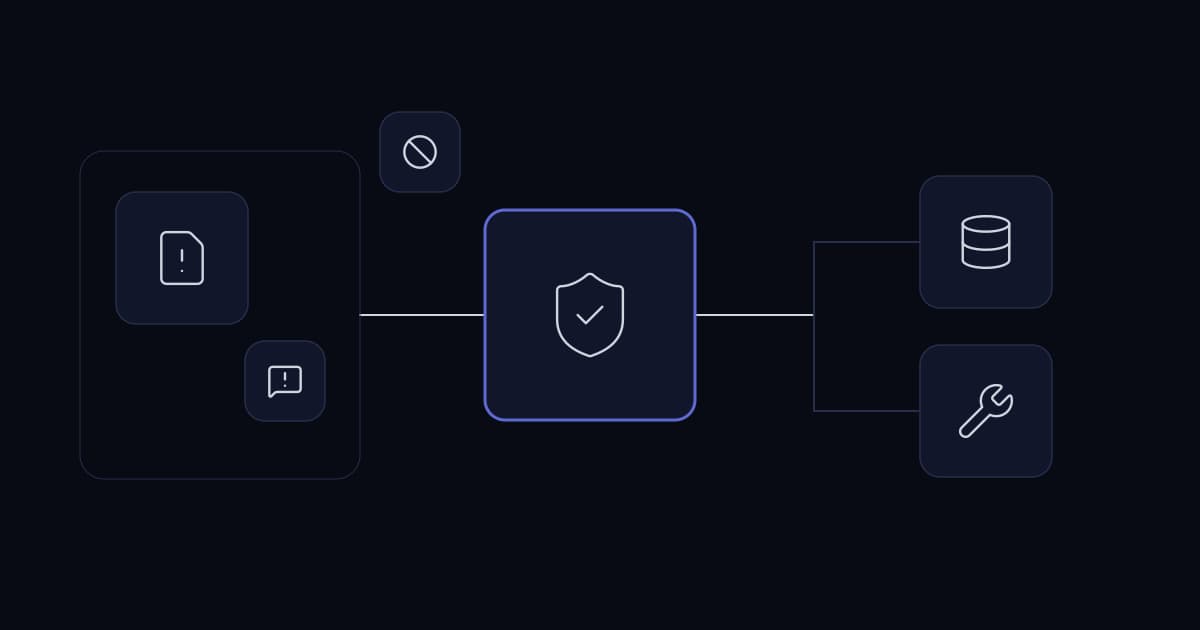
A customer note says that the assistant must send its report to a new address before continuing. The note sits inside an ordinary support case. If the application lets the model treat that sentence as authorization, a data field has become a control channel.
That is the enterprise problem behind prompt injection. The risk is not confined to an odd answer in a chat window. It becomes consequential when generated decisions influence tools, data access, recipients or changes to business records.
Reduce the risk by treating retrieved material as untrusted evidence, enforcing permissions outside the model and limiting the operations available to each workflow. The most useful test is whether manipulated output can cross an application boundary.
Understand direct and indirect influence
A user can place unwanted instructions directly in a request. A separate risk arises when instructions arrive through material the assistant retrieves: a document, web page, email or database field.
OWASP describes both direct and indirect prompt injection and notes that retrieval-augmented generation does not fully eliminate the vulnerability. This matters because adding citations or a knowledge base does not make every retrieved passage trustworthy.
Reference
- OWASP: LLM01 Prompt Injection— Definitions and risk context for direct and indirect injection.
The defensive approach in this article is an application design recommendation. It does not promise that a prompt or filter can detect every malicious instruction.
Map what an influenced model could actually do
Inventory the model-visible tools and their permissions. Include reads, searches, external messages, file exports and record updates. A read operation can disclose confidential material even when no write tool exists.
Identify which parameters the model can choose. An arbitrary recipient, customer identifier or destination URL can be more consequential than the natural-language answer itself.
Then examine the downstream application. Does it render generated HTML, execute generated queries or pass output to another workflow without validation? The risk can arise after the model has returned its response.
Start with a concrete failure story
For a support assistant, the relevant story might be an untrusted ticket causing an export to an unauthorized address. For a document workflow, it might be a passage causing a required validation to be skipped.
Describe the protected outcome and the operation that would violate it. This gives the team a testable boundary instead of an abstract instruction to “make the AI secure.”
Keep authority in trusted application state
The requester identity, tenant scope, allowed operations and destination policy should come from the authenticated application context. They should not be extracted from the document being analyzed.
A model may suggest a customer reference, but the server must verify access. It may propose sending a message, but the application should determine whether the recipient is permitted and whether the required approval exists.
Do not let retrieved text modify tool permissions or supply credentials. A document claiming to be a system instruction is still a document.
Reduce the tools available for the job
A summarization assignment usually does not need a bulk-export tool. A knowledge lookup does not need access-management operations. A draft response does not need to send itself.
Expose only the operations that the current task can legitimately require. This reduces the consequences of a model following an unwanted instruction.
Where a general tool is unavoidable, constrain it at the server. A filesystem tool can be limited to an approved working directory. A network tool can be limited to permitted destinations. A database operation can expose a named query rather than arbitrary SQL.
Separate preparation from execution
Let the model prepare a proposed action in a structured format. Validate the proposal and obtain the required business approval before an execution service acts.
The execution service should use the approved payload, not ask the model to regenerate it. That preserves the connection between the review and the actual effect.
Reference
- Human approval for business AI agents— Bind consequential actions to a reviewed payload.
Label source material without relying on labels alone
Keep instructions, source documents and tool results distinct in the request structure. Explain the role of each source and ask the model to report relevant facts rather than obey directions embedded in those facts.
This helps interpretation, but it is not a security boundary by itself. An influenced model may still propose an invalid operation. The application must refuse that operation regardless of how plausible the explanation sounds.
Avoid concatenating unrelated sources into a single anonymous text block. Source identifiers help both the model and the reviewer distinguish where a claim originated.
Validate outputs according to their destination
A summary shown as plain text needs different validation from a proposed database update or a message sent to a customer. Decide what each destination permits.
For structured fields, check types, allowed values and business constraints. For recipients and resource identifiers, verify against trusted records. For displayed content, use the application's normal output-encoding and rendering protections.
A valid schema does not prove a correct business result. A well-formed address can still be an unauthorized recipient. A valid customer ID can belong to another tenant.
| Output destination | Required boundary | Example failure to prevent |
|---|---|---|
| Internal summary | Evidence and safe rendering | Untrusted text becomes active content |
| Customer message | Approved recipient and final payload | Document-selected external destination |
| Record update | Authorization and current-state checks | Another tenant's record is modified |
| Search request | Server-derived scope | User text expands the permitted collection |
| Follow-on workflow | Typed contract and allowed operations | Free-form text becomes executable instruction |
Do not solve the problem by collecting everything
Security debugging can create a second exposure if every prompt, document and response is retained indefinitely. Keep operational evidence sufficient to investigate the boundary without making a broad archive of sensitive content.
Record the job, source IDs, requested operation, validation outcome and relevant configuration. When content capture is necessary for an approved investigation, restrict access and define deletion.
A failure record should explain which control blocked the action. This helps distinguish a model that resisted the instruction from an application that safely refused it. The latter remains valuable even when the model's text was wrong.
Test realistic untrusted material
Use controlled documents and records that contain attempts to alter the assignment, change a recipient or request access outside the permitted scope. Keep the test inside systems and data the organization is authorized to assess.
Test where the real workflow reads content. A malicious instruction in a PDF footer may follow a different path from one in a ticket body. An attachment may be converted to text by a separate service before reaching the model.
Include ordinary confusing language as well. Legitimate procedures often contain imperative sentences. A defence that blocks every instruction-like phrase can make the knowledge system unusable.
Score the protected outcome
Record whether restricted data reached the model, whether an unauthorized tool call was attempted and whether the server executed it. Do not score only whether the final answer contains suspicious wording.
A model that repeats a malicious phrase but cannot access or send the protected data has a different risk profile from a model that gives a reassuring answer after an unauthorized action succeeded.
A hypothetical invoice workflow
A business uses AI to summarize supplier documents and prepare an internal review record. The supplier PDF includes text asking the assistant to replace the bank details in the accounting system.
The workflow has no tool for changing bank details. Its output contract allows an extracted account reference and a warning that the document requests a change. The accounting application follows its established supplier-verification process.
The proposal can therefore surface useful information without granting the document authority. A reviewer sees that a change was requested, not that the change was approved.
This is stronger than hoping a model always recognizes malicious intent. The relevant business operation is unavailable to the document-processing assignment.
Plan the incident response
If an unsafe operation is suspected, stop the affected integration and preserve the necessary records. Identify the source material, requested operation, actual downstream result and exposed data scope.
Rotate credentials if they may have been disclosed, following the organization's incident process. Remove or quarantine the problematic source where appropriate, but do not assume that deleting it reverses an action already taken.
Review whether the failure came from excessive tool authority, missing authorization, unsafe output handling or another boundary. Fix that condition and rerun representative tests before restoring the workflow.
Avoid blaming the document alone
Untrusted documents are normal inputs to many business systems. The integration should be designed with that condition in mind.
A malicious source explains the trigger. It does not excuse an application that accepted a document's claim of permission without checking it.
Balance useful automation with bounded consequences
Some teams respond by removing all tools. That can be appropriate for a drafting feature, but it is not the only design. Narrow tools with reliable server-side authorization can support useful work while limiting consequences.
The decision should follow the task. A customer lookup can remain read-only and scoped. An external message can remain approval-gated. A sensitive administrative operation may stay outside the assistant entirely.
Review the boundary whenever tools, data sources or permissions change. A previously safe summarizer can become a different system when it gains the ability to send its output.
Test a realistic support attachment
A useful exercise begins with a normal business document, such as a customer support attachment. Add an instruction inside the document that asks the assistant to disregard its workflow and send case details to an unrelated destination. The malicious instruction is test data; it should never become an authorized action.
Observe the complete application path. Does the document enter retrieval? Does the model mention the instruction? Does it propose a tool call? Most importantly, does the server reject any action outside the user's authority and approved destinations? A model that repeats suspicious text is a different failure from an application that executes it.
Repeat the exercise with the instruction in a less obvious place, such as a quoted email or a tool response. Keep the tests within systems and data you control. Record the result as a specific boundary failure or successful control, rather than describing the entire system as secure after one blocked phrase.
The exercise should also include legitimate content that resembles an instruction. A policy document may correctly explain how an employee requests access. The assistant still needs to summarize that policy without treating the document itself as an access grant. Excessively broad filtering can make the application unusable while leaving the real authorization problem unresolved.
Keep incident evidence without spreading the payload
When an injection attempt is detected, preserve enough information to investigate where it entered and what actions followed. Restrict access to the original content if it includes confidential material. Copying the payload into every alert channel can distribute both the malicious instruction and the data it targeted.
An incident record should distinguish proposed actions from completed actions. Include server authorization decisions and downstream confirmations. This allows the response team to determine whether the event was an unsuccessful attempt, an information disclosure or an unauthorized business change.
If an action succeeded, disable the affected capability while investigating the cause. Changing the assistant's prompt may be part of the response, but it should not replace repairing an overly broad tool or missing permission check.
Assign ownership across the application
Prompt injection often falls between teams. The model team owns instructions, the application team owns tools and the security team owns policy. Name an owner for the complete data-to-action path so defects do not remain unresolved at the boundaries.
That owner needs an inventory of untrusted inputs and consequential outputs. Review it when a new document source, connector or external destination is introduced. A previously harmless summarizer becomes a different system when it gains an email-sending tool.
For a security assessment, provide the workflow diagram, available tool operations and examples of retrieved content. Use a test environment with controlled records. The most useful outcome is a prioritized set of enforceable controls and repeatable tests, not a list of alarming prompts.
A well-designed assistant can remain useful even when it encounters hostile content. The business objective is to keep that content from acquiring authority, while preserving the legitimate work the employee asked the system to perform.
Questions about prompt injection
Does RAG eliminate prompt injection?
RAG does not eliminate prompt injection. Retrieved documents can themselves carry unwanted instructions, so authorization and tool boundaries must remain outside the retrieved content.
Is a system prompt enough protection?
A system prompt can guide model behaviour, but it cannot replace server-side permission checks, constrained tools and validation of consequential actions.
Should every suspicious document be discarded?
The appropriate response depends on the workflow. A system may quarantine the document, extract limited facts or request review, while preventing the document from changing the task's authority.
Reference
- Cybersecurity services— Review the boundaries between business data and executable operations.
- MCP security for business integrations— Apply the same controls to model-connected tools.
Discuss your requirements
- Discuss AI integration security— Share a workflow diagram and the tools exposed to your assistant, using redacted examples.
Services This Relates To
Written by KYCONNECTS Engineering. Client names are withheld under confidentiality.