A business decides its customers should be able to see their own information without emailing to ask. The request sounds like one thing and is at least two, and the difference determines the architecture rather than the styling.
A customer portal serves individual end users, each seeing their own records. A client portal serves organisations, where several people from the same company share access to that company's data and typically need different permissions within it. The second requires a concept the first does not: an account that owns records and contains users.
Getting this wrong is expensive because it is structural. Retrofitting organisational tenancy onto a system built around individual users touches every query in the application, and it is normally discovered when the first client asks for a second login.
The two shapes
| Customer portal | Client portal | |
|---|---|---|
| Who logs in | An individual end user | Several people from an organisation |
| Data ownership | Records belong to the person | Records belong to the account; people belong to the account |
| Permissions | Usually uniform | Roles within the organisation — approver, viewer, administrator |
| User management | Self-service registration | Often delegated: the client manages its own users |
| Typical volume | Many users, small data each | Fewer accounts, substantial data each |
| Cost of a leak | One person's information | A commercial relationship, and likely a contractual breach |
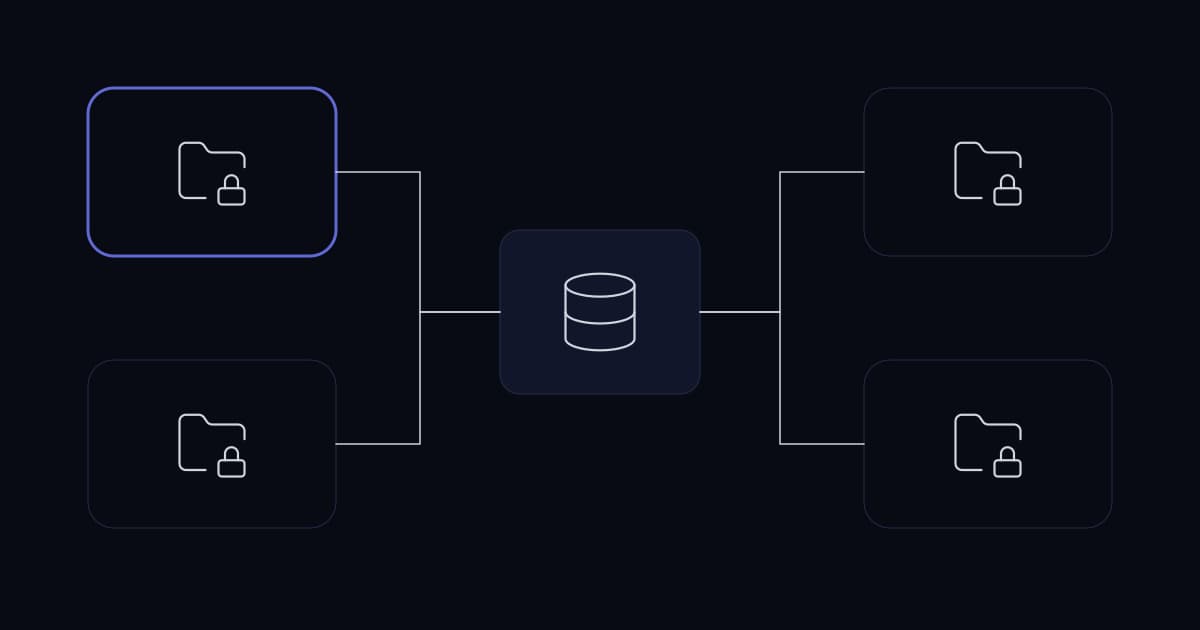
The row that drives the architecture is data ownership. In a customer portal, a record has a user. In a client portal, a record has an account, and users are attached to accounts — which means every query must be scoped by account rather than by user, and a user's identity alone is insufficient to determine what they may see.
The delegated user management row is the one businesses underestimate operationally. A client with twenty staff will not accept raising a support ticket every time someone joins or leaves. Delegated administration is not a premium feature; without it the portal generates support load rather than removing it.
Tenant isolation is the whole security model
The characteristic portal vulnerability is straightforward and common: an authenticated user changes an identifier in a URL or a request and receives somebody else's record. OWASP names this as the first entry in its API Security Top 10 — broken object level authorization — and it is first because it is both prevalent and damaging.
The reason it recurs is that it requires no attack skill. The user is legitimately authenticated. They simply request a different record, and the application returns it because it checked whether they were logged in and not whether the record was theirs.
- 1
Scope every query at the data layer, not the view
Every retrieval should be constrained by the account of the requesting user as part of the query itself. Filtering after retrieval, or relying on the interface not offering a link, fails the moment somebody constructs a request by hand.
- 2
Make the scoped path the default and the only path
Where a framework supports it, apply the tenant constraint globally so that writing an unscoped query requires a deliberate exception. The alternative — remembering to add the constraint every time — fails on the query somebody wrote in a hurry.
- 3
Use identifiers that are not guessable
Sequential numeric identifiers advertise that other records exist and make enumeration trivial. This is defence in depth rather than a substitute for scoping, but it removes the casual case.
- 4
Test from the wrong side
Authenticate as one account and attempt to retrieve another's records by direct request. Confirm it fails and the attempt is logged. This is the only test that proves isolation exists rather than being assumed.
- 5
Log access to records, not only logins
The question after an incident is which records were viewed, not who signed in. Login logs cannot answer it.
The second step is the one that makes isolation durable. A codebase where the safe path requires remembering will eventually contain a query where somebody did not, usually written under deadline by someone new. Making the constraint automatic converts a discipline problem into an architectural property.
What a portal should do before it does anything else
Portal projects tend to accumulate features during scoping and then deliver something that is broad and shallow. The narrower version usually delivers more value, because portals succeed by removing specific repeated questions rather than by being comprehensive.
The place to start is the support inbox. Whatever customers ask most often — where is my order, what is my balance, can you resend that document, what is the status of my job — is what the portal should answer. Anything else is speculation about what people might want.
- Answer the top three recurring questions completely, rather than ten partially.
- Show current state clearly enough that a customer does not need to interpret it. A status field that means something internally usually means nothing externally.
- Provide documents — invoices, reports, statements — where retrieving them is currently a request.
- Allow the small number of actions that would otherwise be an email: raising a request, approving something, updating a contact detail.
- Show history, because most support contacts are about something that already happened.
Measuring the effect is straightforward and rarely done: count the contacts about the questions the portal now answers. If the count does not fall, the portal is not answering them in a form customers find usable, and that is a content and clarity problem rather than a feature gap.
The parts that get skipped
Four things are consistently under-scoped, and each generates support load that erases the portal's benefit.
| Area | What is skipped | What it costs |
|---|---|---|
| Onboarding | How a client's first user is created and verified | Every new client becomes a manual process, permanently |
| Delegated administration | The client managing its own users | Every joiner and leaver at every client becomes your support ticket |
| Offboarding | Removing access when a person or a relationship ends | Former staff of former clients retain access to live data |
| Support path | What a user does when the portal itself is the problem | Users fall back to email, and the portal is judged to have failed |
The third is the most serious and the least visible. A portal accumulates accounts belonging to people who have moved on, at organisations that may no longer be clients, and nothing prompts a review because the accounts are working exactly as configured. Portal accounts belong in the same access review as internal ones.
Where the data comes from
A portal is a view onto systems that already exist. How it reads them determines whether it stays accurate.
Reading live through an API keeps the portal correct by construction and makes it dependent on those systems being available and fast enough to serve a page. Copying data into the portal's own store removes that dependency and introduces synchronisation, with all the duplicate-and-drift problems that implies.
For most portals, live reads with short-lived caching for expensive lookups is the right balance. Where a copy is genuinely necessary, it should be one-directional — the source system remains authoritative and the portal never writes back into its own copy — and the same reconciliation discipline applies as to any other integration.
Common mistakes
| Mistake | Why it happens | What to do instead |
|---|---|---|
| Built for individuals, sold to organisations | The first client had one user | Model accounts and users separately from the start if clients are organisations |
| Authorisation checked in the view | It works during testing, where nobody constructs requests by hand | Scope at the data layer, globally, so unscoped access requires a deliberate exception |
| Sequential record identifiers | They come free with the database | Non-guessable identifiers; enumeration should not be trivial |
| No delegated user management | It looked like a later phase | Clients manage their own users, or you inherit their HR process |
| Portal accounts outside access review | They are external, so they are not on the internal list | Include them; former staff of former clients accumulate otherwise |
| Feature breadth over question depth | Scoping gathered requirements from everyone | Answer the top three support questions completely |
| Stale data with no indication | Caching was added for performance | Show when data was last updated; a wrong balance is worse than no balance |
A representative scenario
A composite of situations we see repeatedly; no client detail is included.
A business builds a portal so customers can see job status and download documents. It launches successfully with a handful of customers, each with one login.
Two problems surface as it grows. Clients begin asking for additional logins for their own staff, which the data model cannot express because records belong to users rather than to organisations — retrofitting that touched every query in the application. Separately, a security review found that changing a numeric identifier in a document URL returned another customer's document, because authorisation was checked when rendering the list rather than when retrieving the file.
The remediation introduced an account layer with users attached to accounts, applied tenant scoping globally at the data layer so that unscoped queries required an explicit exception, replaced sequential identifiers, and added record-level access logging. Delegated administration was added so clients could manage their own users, which removed a support burden that had been growing linearly with the client base.
The document exposure had existed since launch. Nothing indicated it, because from the application's perspective an authenticated user requesting a document is a normal event.
Implementation checklist
- The audience is decided: individual customers, client organisations, or both, with the data model matching.
- Records belong to accounts where clients are organisations, and users are attached to accounts.
- Every data access is scoped at the data layer, applied globally so unscoped access requires a deliberate exception.
- Record identifiers are not sequential or guessable.
- Isolation has been tested by authenticating as one account and attempting to retrieve another's records directly.
- Access to records is logged, not only authentication events.
- The first release answers the three most common support questions completely.
- Onboarding of a client's first user is defined and repeatable rather than manual.
- Clients can manage their own users without raising a ticket.
- Portal accounts are included in the periodic access review alongside internal accounts.
- Data freshness is a deliberate decision, and the interface shows when information was last updated.
- Contact volume for the questions the portal answers is measured, so its effect is known.
Frequently asked questions
What is the difference between a client portal and a customer portal?
The unit of access. A customer portal serves individual end users, each seeing their own records, with uniform permissions and self-service registration. A client portal serves organisations: several people from the same company share access to that company's data, usually with different roles among them, and the client typically expects to manage its own users. The architectural consequence is that records belong to an account rather than to a person, and every query must be scoped by account. Retrofitting that onto a system built around individual users touches every query in the application, which is why it is worth deciding before the first line of code.
What is the most important security control in a portal?
Tenant isolation — ensuring an authenticated user can never retrieve a record belonging to somebody else. OWASP lists broken object level authorization first in its API Security Top 10 because it is both prevalent and damaging, and it recurs because it requires no attack skill: the user is legitimately logged in and simply requests a different identifier. The durable fix is to scope every query at the data layer rather than in the view, applied globally so that writing an unscoped query requires a deliberate exception. Relying on developers to remember the constraint each time fails eventually, usually on a query written under deadline.
What should a portal do first?
Answer the questions your support inbox already receives most often, completely, rather than offering many features shallowly. Whatever customers ask repeatedly — order status, current balance, resending a document, job progress — is the demonstrated requirement; anything else is speculation. The measure of success is equally concrete: count the support contacts about those specific questions after launch. If the volume does not fall, the portal is not presenting the information in a form customers find usable, which is a clarity problem rather than a missing feature.
Should clients be able to manage their own portal users?
Yes, and treating it as a later phase is a common and costly mistake. A client with twenty staff will not accept raising a support ticket every time someone joins or leaves, so without delegated administration you effectively inherit the HR process of every client you have. The support burden grows linearly with the client base, which erases the efficiency the portal was built to deliver. Delegated administration also improves security, because the person best placed to know that someone has left is their own colleague rather than your support desk.
Should a portal read live data or hold its own copy?
Live reads through the source system's API are the right default, with short-lived caching for expensive lookups. Live reading keeps the portal correct by construction, at the cost of depending on those systems being available and fast enough to serve a page. Copying data into the portal's own store removes that dependency and introduces synchronisation, with the duplicate-and-drift problems that follow. Where a copy is genuinely necessary it should be one-directional, with the source system remaining authoritative, and it needs the same reconciliation discipline as any other integration.
What do portal projects most often forget?
Four things, all operational rather than technical. How a client's first user is created and verified, which becomes a permanent manual process if not designed. Delegated user management, without which every joiner and leaver at every client becomes your ticket. Offboarding, which is the most serious omission — portals accumulate accounts belonging to people who have moved on, at organisations that may no longer be clients, and nothing prompts a review because those accounts work exactly as configured. And a support path for when the portal itself is the problem, absent which users fall back to email and conclude the portal failed.
Conclusion
Portals are usually scoped as feature lists and succeed or fail on two things that appear in no feature list: whether the data model matches the audience, and whether one account can ever see another's records. The first is expensive to correct later; the second is the one that ends up in an incident report.
Beyond those, the discipline is narrowness. A portal that completely answers the three questions your support inbox receives most often will be used. One that partially answers ten will be abandoned, and the support volume it was built to reduce will simply continue.
Sources and further reading
- Custom software vs SaaS— whether to build the portal at all, or extend what you have
- Multi-tenant isolation over shared FreePBX— a worked example of enforcing per-tenant access
- Access control and offboarding— why portal accounts belong in the access review
- API integration for modern businesses— reading from source systems, and what that commits you to
- OWASP API Security Top 10 (2023)— API1 Broken Object Level Authorization
Services This Relates To
Written by KYCONNECTS Engineering.