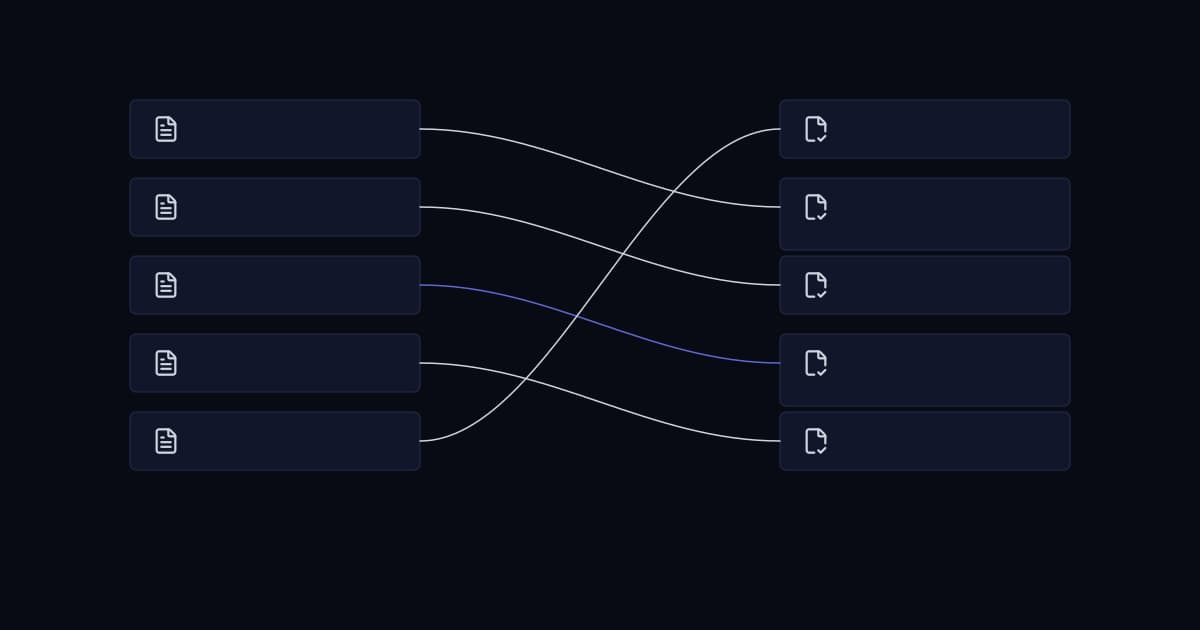
A migration completes on schedule. The records are in the new system, the counts look right, and the project is signed off. Three weeks later the sales team has stopped trusting it. Somebody found their accounts merged with someone else's, a report disagreed with what a customer said on the phone, and now half the team is keeping a private list again. The platform is blamed. The platform was fine.
The business impact of a poor migration is not lost records, which are usually recoverable from a backup. It is lost confidence, which is not. A CRM that people do not trust is worse than the spreadsheet it replaced, because the business is now paying for a system and maintaining shadow records alongside it. Recovering from that costs more than the migration did, and it is mostly a people problem rather than a technical one by the time anyone notices.
Moving records between systems is straightforward engineering. The work that determines whether the migration succeeds sits before and after the transfer: deciding what should not move, deciding what counts as the same customer, and proving afterwards that the result is complete and correct.
A migration is a data quality project with a deadline attached
Most migration plans allocate their time to the transfer and treat data quality as a preliminary. This is the wrong way round. Extracting, transforming and loading records is well-understood work with predictable effort. Deciding whether two records are the same customer, which of three conflicting addresses is correct, and what should happen to eleven years of activity history is judgement, it involves people outside the project, and it is what actually consumes the schedule.
There is also a hard sequencing fact worth internalising early. Cleaning data before a migration is materially cheaper than cleaning it afterwards, because before the move a duplicate is two rows in an export. After the move it is two customer records with separate activity histories, linked invoices, assigned owners and referencing documents, and merging them means deciding what happens to everything attached to each one. The same correction becomes an order of magnitude more work simply by being deferred.
The reasoning behind moving off the previous system in the first place is covered in the article on outgrowing Excel. This article assumes that decision is made.
Profile the data before you plan anything
Estimates given before profiling are guesses. The number of rows in the source system tells you almost nothing useful, because the quantity that drives effort is the number of distinct real-world entities and the degree to which the data disagrees with itself.
Use a defined quality vocabulary, not adjectives
Describing data as messy is not actionable. The UK Government Data Quality Framework, published by the Government Data Quality Hub, sets out six dimensions taken from DAMA UK, and they map directly onto the decisions a migration has to make.
| Dimension | Official definition | Migration consequence if poor |
|---|---|---|
| Completeness | The degree to which records are present | Required fields in the target cannot be populated, and the load rejects rows |
| Uniqueness | The degree to which there is no duplication in records | Duplicates arrive in the new system with split history attached to each copy |
| Consistency | The degree to which values in a data set do not contradict other values representing the same entity | The same customer holds contradictory values and nobody can say which is right |
| Timeliness | The degree to which the data is an accurate reflection of the period that they represent | Stale records are migrated as though current and acted on |
| Validity | The degree to which the data is in the range and format expected | Values fail target field validation and the load stalls partway |
| Accuracy | The degree to which data matches reality | The migration faithfully reproduces information that was already wrong |
What profiling should produce
The output is a short set of numbers that the project plan is then built on, rather than a report nobody reads.
- Row count against estimated distinct real entities, which is the figure that matters.
- Population rate per column, which reveals which fields are genuinely in use and which were added once and abandoned.
- Distinct value counts on fields intended to become picklists, which exposes the free-text field holding two hundred variations of nine real values.
- Format variance on structured fields such as phone numbers, postcodes and dates.
- Records with no activity in the last two, three and five years, which drives the scope decision below.
- Orphaned child records whose parent no longer exists, which will fail to load or load detached.
Decide what does not move
The default assumption is that everything migrates. It is worth challenging on three grounds, and the third is the one most projects never consider.
Commercially, every record carried across adds cost to the migration, to the reconciliation that follows and to the platform bill if licensing is volume-sensitive. Operationally, dead records make the new system harder to search and reduce trust in it, because a user who finds three stale contacts before the right one concludes the data is unreliable regardless of how correct it is.
The legal argument for migrating less
Where the data includes personal information, GDPR Article 5 makes retention a compliance question rather than a preference. Personal data must be adequate, relevant and limited to what is necessary in relation to the purposes for which they are processed, and it must be kept in a form which permits identification of data subjects for no longer than is necessary for the purposes for which the personal data are processed.
A migration is the natural moment to act on this. Copying eleven years of contact records into a new platform is an affirmative decision to keep processing them, and it is a decision that has to be justifiable against the purpose. In practice this converts an argument that is otherwise hard to win internally, that old data should be deleted rather than carried forward, into a straightforward obligation.
The same article also bears on cleansing. Personal data must be accurate and, where necessary, kept up to date, and every reasonable step must be taken to ensure that personal data that are inaccurate, having regard to the purposes for which they are processed, are erased or rectified without delay. Knowingly migrating records you have identified as inaccurate is difficult to reconcile with that, which is a useful point to raise when data cleansing is being treated as an optional phase to be cut if the schedule slips.
Identity resolution: deciding what counts as the same customer
This is the most consequential technical decision in a migration and the one most often delegated to a tool's default settings. The question is deceptively simple: given two records, are they the same real-world entity?
Deterministic and probabilistic matching
Deterministic matching compares values by rule. Same company registration number is a match; same email address is a match. It is transparent, explainable and correct when a reliable identifier exists. Its weakness is that it fails completely on the records that actually cause the problem, where the identifier is missing or was entered differently.
Probabilistic matching assigns a score based on agreement across several fields, weighted by how discriminating each field is. Agreement on an unusual surname carries more evidence than agreement on a common one; agreement on postcode carries more than agreement on country. The formal basis for this is long established. Fellegi and Sunter set out the theory of record linkage in the Journal of the American Statistical Association in 1969, framing linkage as a decision problem with two error rates to be traded off explicitly rather than a rule to be tuned by feel.
The asymmetry that should set your threshold
The two errors are not equally expensive, and almost every default configuration ignores this. A missed duplicate leaves two records where one should exist. It is visible, it is irritating, and it is fixable later at moderate cost. A false merge combines two genuinely different customers into one record. It destroys information irreversibly, it puts one customer's history in front of another, and depending on the data involved it may constitute a personal data breach.
The practical conclusion is to set matching thresholds conservatively and route the uncertain band to human review rather than resolving it automatically. A migration that auto-merges only high-confidence matches, presents the middle band as a review queue, and leaves the rest alone will produce a better outcome than one tuned to maximise the number of duplicates removed.
| Approach | Works when | Fails when | Appropriate use |
|---|---|---|---|
| Exact on a reliable identifier | A registration number, account code or verified email exists | The identifier is absent or entered inconsistently | Auto-merge without review |
| Normalised exact | Values agree after case, whitespace and format normalisation | Genuine spelling variation or abbreviation | Auto-merge, with the normalisation rules documented |
| Probabilistic scoring | Several weak fields agree and no single identifier exists | Data is sparse, so few fields are available to score | High band auto-merges, middle band goes to review |
| Manual review | The score is ambiguous or the record is high value | Volume makes it impractical | The uncertain band, and any record above a value threshold |
What native platform deduplication will and will not do
Target platforms ship duplicate detection, and it is worth understanding its limits before assuming it covers the migration. Microsoft's Dataverse duplicate detection is representative: rules are built from field-level criteria such as exact match or matching first or last characters, the number of criteria a rule can hold is constrained by the length of the generated matchcode, and only five rules can be published for the same base record type at once. Microsoft's own guidance is to base criteria on a field with unique values.
That is a sound mechanism for preventing new duplicates during ordinary use. It is not a substitute for resolving the existing ones before they arrive, which is a one-off exercise better done against an export where the full dataset can be examined at once.
Field mapping and normalisation
Field mapping is usually produced as a spreadsheet with a source column and a target column, and it is more useful understood as a decision log. The interesting rows are never the ones where a name maps to a name.
The rows that need a decision, not a mapping
- Source fields with no target, where the choice is to create a custom field, fold the value into another, archive it outside the CRM, or drop it deliberately.
- Target fields with no source, which must be populated with a default, left empty, or derived, and which cannot be required until that is settled.
- Free-text fields carrying structured meaning, such as a notes column where renewal dates have been recorded by convention for years.
- Fields whose meaning differs between systems despite identical names, which is the mapping error that survives testing because nothing fails.
- Picklists whose value sets do not correspond, which need an explicit value-level mapping rather than a field-level one.
Each of these should record who decided, and why. A year later, when someone asks where a field went, the answer needs to exist somewhere other than in the memory of whoever ran the project.
Normalise before loading, not after
Normalisation converts values into a single canonical form: telephone numbers into international format, country names into a fixed list, dates into an unambiguous representation with an explicit timezone assumption, currency amounts stored with their currency rather than assumed. Doing this in the transform stage means it happens once, under review, with the rules written down. Doing it after loading means doing it repeatedly, in place, on live records that users are already editing.
Date handling deserves particular care because it fails silently and asymmetrically. A dataset in which some dates were entered day-first and some month-first will import without error, and the only ones that are obviously wrong afterwards are those where the day exceeds twelve. The rest are simply incorrect.
Referential integrity and load order
A CRM is a graph rather than a list. Contacts belong to companies, opportunities belong to contacts, activities and documents attach to all of them. The value of the system is largely in those relationships, and they are the part of a migration that most often arrives damaged while every record count still reconciles.
Load order follows from the dependencies. Parents must exist before children can reference them, which means companies before contacts, contacts before opportunities, and everything before the activity history that points at it. Where the source uses internal identifiers that the target will not preserve, a mapping of old identifier to new must be retained through the whole load, because every subsequent stage depends on it.
Two failure modes are worth naming because they behave differently. A hard referential failure rejects the row, which is loud and gets fixed. A soft failure loads the child with an empty or wrong parent reference, which is silent: the record count reconciles, the relationship is gone, and nobody discovers it until a user opens a company expecting to see its contacts.
Two kinds of validation rule
It is worth separating validation that should stop the load from validation that should only flag. Rules that block are those where proceeding creates a wrong record: a missing mandatory relationship, a value outside an allowed set, a malformed identifier. Rules that flag are those where the data is questionable but usable, such as a contact with no email or an address that failed lookup. Treating every rule as blocking stalls the load on trivia; treating none as blocking produces a system full of records that cannot be used. The separation is a decision to make deliberately during mapping.
Cutover strategy
The cutover is the period during which the business is between systems, and the goal is to make it short, rehearsed and reversible. Three approaches are used and they trade risk against disruption differently.
| Approach | How it works | Main risk | Appropriate when |
|---|---|---|---|
| Big bang | Freeze the old system, load everything, open the new one | Every problem surfaces at once, on the day, with users waiting | Data volume is modest and the process is simple enough to rehearse fully |
| Phased | Migrate by region, business unit or object type across several windows | Two systems hold live data simultaneously, so the boundary must be unambiguous | The business divides cleanly and a long freeze is unacceptable |
| Parallel run | Both systems operate together for a defined period, with the old one authoritative until sign-off | Double entry is required, which is unpopular and degrades quickly | The cost of being wrong is very high and the period is kept short and firmly bounded |
Whichever is chosen, two mechanics matter more than the label. The freeze window is the period in which the source is read-only, and it should be as short as the load allows, because business pressure to keep working during a long freeze is how a parallel set of updates comes into existence that nobody planned for. The delta load handles anything that changed between the main extract and the cutover, and it needs to have been rehearsed rather than improvised at two in the morning.
A parallel run in particular should be treated with suspicion despite sounding safest. Asking staff to enter everything twice works for about a week, after which one system silently becomes the real one and the other becomes a fiction. If a parallel run is used, define in advance which system is authoritative, how long the period lasts, and what test ends it.
Reconciliation: proving the migration worked
Reconciliation is the evidence that the migration is complete and correct. It should be designed before the load, because deciding what to compare after the fact tends to produce whatever is easy to measure rather than what would reveal a problem.
Record counts are the weakest check available and the one most often relied on. Counts match while relationships are missing, fields are truncated, dates are transposed and duplicates have been merged incorrectly. A reconciliation that only counts rows will pass a migration that has destroyed the relationships the CRM exists to hold.
- 1
Count by object and by status
Totals per entity, then broken down by the status or stage field. A shift in the distribution reveals mapping errors that a single total conceals.
- 2
Reconcile financial and pipeline aggregates
Sum deal values, open pipeline and closed revenue by period on both sides. These are the figures the business will check first, and a discrepancy here destroys confidence fastest.
- 3
Check relationship counts, not just record counts
Contacts per company, activities per contact, documents per opportunity. This is the only reliable way to catch soft referential failures.
- 4
Verify field-level fidelity on a sample
Take a stratified sample across record types, ages and sizes, and compare every field against the source. Include the largest accounts specifically, because those are the ones a director will open first.
- 5
Reconcile the exceptions explicitly
Every record deliberately not migrated, every merge performed and every row rejected must appear in a report that accounts for the difference between source and target. An unexplained variance is a defect until proven otherwise.
- 6
Have users verify their own records
Ask each team to check a handful of accounts they know intimately. People spot wrongness in familiar data far faster than any automated comparison, and their sign-off is what actually establishes trust.
This is one-off verification of a migration. Ongoing reconciliation between systems that remain connected afterwards is a different exercise, covered in the CRM integration article.
Rollback: the plan you expect to waste
Rollback planning is usually skipped because it feels like planning to fail. It is more accurately the thing that makes the cutover decision reversible, and the absence of it is what turns a bad migration into a crisis, because the only remaining option is to fix forward under pressure with the business watching.
What rollback means changes as the cutover proceeds. Before the freeze it means doing nothing. During the load it means truncating the target and restarting, which is cheap if the load is repeatable and the target was empty. After the freeze lifts and users have begun entering data into the new system, it means reverting to the old system and reconciling whatever was created in the meantime, which is expensive but possible. Once integrations are live and other systems have consumed data from the new CRM, rollback is no longer a technical operation at all.
The practical requirement is to name the point of no return in advance, state the criteria that would trigger a rollback before that point, and identify who has authority to make the call. A rollback decision taken calmly against agreed criteria at 6am is a different event from one debated at 4pm with the sales floor blocked.
Common failures
| Failure | Origin | Prevention |
|---|---|---|
| Duplicates arrive with split history | Identity resolution deferred until after the load | Resolve against the export, while records are still rows |
| Relationships silently missing | Soft referential failure with counts still matching | Reconcile relationship counts, not record counts |
| Dates wrong by months | Ambiguous day-first and month-first formats | Normalise in transform with the source convention documented |
| Two customers merged into one | Matching threshold tuned to maximise deduplication | Conservative threshold, uncertain band to human review |
| Load stalls partway through | Every validation rule treated as blocking | Separate blocking rules from flagging rules during mapping |
| Users distrust the system within a month | No user verification before sign-off | Have each team check accounts they know before go-live |
| Nobody can explain where a field went | Mapping kept as a spreadsheet, not a decision log | Record the decision and the decision-maker per exception |
Pre-migration checklist
- Profiling is complete and the plan is built on distinct entity counts rather than row counts.
- Scope is decided, with the retention justification recorded for any personal data being carried forward.
- Matching strategy is agreed, with thresholds set conservatively and a review queue defined for the uncertain band.
- Field mapping exists as a decision log, including every source field with no target and the reason.
- Normalisation rules are written down and applied in transform rather than after loading.
- Load order respects the dependency graph, and old-to-new identifier mapping is retained throughout.
- Validation rules are classified as blocking or flagging.
- The reconciliation report is designed and its queries written before the load runs.
- A full dry run has been completed against a copy, and the delta load has been rehearsed.
- The point of no return, the rollback criteria and the person who can call it are agreed in writing.
A representative scenario
A composite of situations we see repeatedly; no client detail is included.
A company migrates several years of accounts into a new CRM. Deduplication is run with the tool's default settings to reduce a record count that leadership considers embarrassing. The counts after loading are clean and the migration is signed off.
Two problems emerge over the following weeks. Several parent companies and their subsidiaries have been merged, because they share a trading address and a similar name and the matching threshold treated that as sufficient evidence. Separately, contact records loaded before their parent companies existed have no company association at all, and because the contact count reconciled exactly, nothing flagged it.
The merges were the expensive half. Unmerging is not a supported operation in most platforms, so the affected accounts had to be reconstructed from the source export by hand, and the activity history attached to each side could not be reliably reattributed. The missing associations were recoverable, because the source system still held them and the old-to-new identifier mapping had been kept.
Both were preventable by decisions taken before the load: a conservative matching threshold with a review queue, a load order that respected the dependency graph, and a reconciliation that counted contacts per company rather than contacts.
Frequently asked questions
What is CRM data migration?
CRM data migration is the process of moving customer records, activity history and related documents from an existing system, such as a spreadsheet or a previous CRM, into a new one. It involves extracting the data from the source, transforming it to match the structure and validation rules of the target, resolving duplicates and inconsistencies, loading it in an order that preserves relationships between records, and then reconciling the result to prove that it is complete and correct. The transfer itself is routine engineering; the effort is concentrated in the decisions about data quality, scope and record matching.
How long does a CRM data migration take?
The duration is driven by data quality and by the number of decisions required, not by the volume of records. A clean dataset with a reliable unique identifier and a straightforward field mapping can be migrated in days. A dataset assembled over many years, with duplicates, free-text fields carrying structured meaning and no consistent customer reference, takes considerably longer, and most of that time is spent on profiling, deduplication decisions and user verification rather than on the load itself. Profiling the source before committing to a timeline is the only way to produce an estimate that holds.
Should you clean data before or after migrating it?
Before, in almost every case. Prior to migration a duplicate is two rows in an export and correcting it is a spreadsheet operation. After migration it is two customer records with separate activity histories, linked documents and assigned owners, and merging them requires deciding what happens to everything attached to each record, in a platform where merging may be irreversible. Where the data includes personal information there is an additional consideration, since GDPR Article 5 requires that inaccurate personal data be erased or rectified without delay, which is difficult to reconcile with knowingly migrating records already identified as wrong.
How do you avoid creating duplicates during a CRM migration?
By resolving identity before the load rather than relying on the target platform's duplicate detection afterwards. Use exact matching on a reliable identifier such as a company registration number or verified email address where one exists, normalised matching where values agree after formatting differences are removed, and probabilistic scoring across several fields where no single identifier is available. Set the automatic merge threshold conservatively and route ambiguous matches to human review, because a false merge of two genuinely different customers destroys information irreversibly whereas a missed duplicate is merely visible and correctable later.
What should you check after a CRM migration?
Record counts alone are insufficient, because counts can match while relationships are missing and fields are wrong. Effective verification compares counts by object and by status, reconciles financial and pipeline aggregates such as open pipeline and closed revenue by period, checks relationship counts such as contacts per company and activities per contact, compares every field on a stratified sample of records against the source, and accounts explicitly for every record deliberately excluded, merged or rejected. Alongside this, asking each team to verify a handful of accounts they know well surfaces problems that automated comparison does not, and their confirmation is what establishes trust in the new system.
Do you need to migrate all historical data to a new CRM?
No, and carrying everything across is usually the wrong default. Records with no operational use add cost to the migration and to the reconciliation, make the new system harder to search, and reduce user confidence when stale entries appear in results. Where personal data is involved there is also a compliance dimension: GDPR Article 5 requires that personal data be limited to what is necessary for the purposes of processing and kept in identifiable form no longer than necessary, so copying many years of contact records forward is a decision that has to be justifiable against a purpose. Data that must be retained for regulatory or contractual reasons but has no operational use belongs in a read-only archive rather than in the CRM.
Conclusion
The migrations that go well are not the ones with the best tooling. They are the ones where somebody profiled the source before committing to a date, argued successfully for leaving data behind, set the matching threshold to avoid the expensive error rather than the visible one, loaded in an order that respected the relationships, and designed the reconciliation before running the load.
The final measure is not whether the records arrived. It is whether the people who use the system believe what it tells them, because a CRM that is technically correct and not trusted delivers none of the value it was bought for.
Sources and further reading
- 10 signs your business has outgrown Excel— the diagnosis that leads to a migration
- Custom CRM vs off-the-shelf CRM: which is right for a growing business?— choosing what you are migrating to
- CRM integration best practices— connecting the new system once the data is in it
- API integration for modern businesses— keeping those connections working over time
- UK Government Data Quality Framework— the six data quality dimensions, as defined by DAMA UK
- GDPR Article 5: Principles relating to processing of personal data— data minimisation, accuracy and storage limitation
- Fellegi and Sunter, A Theory for Record Linkage (1969)— the statistical basis for probabilistic record matching
- Microsoft: Set up duplicate detection rules in Dataverse
Services This Relates To
Written by KYCONNECTS Engineering.