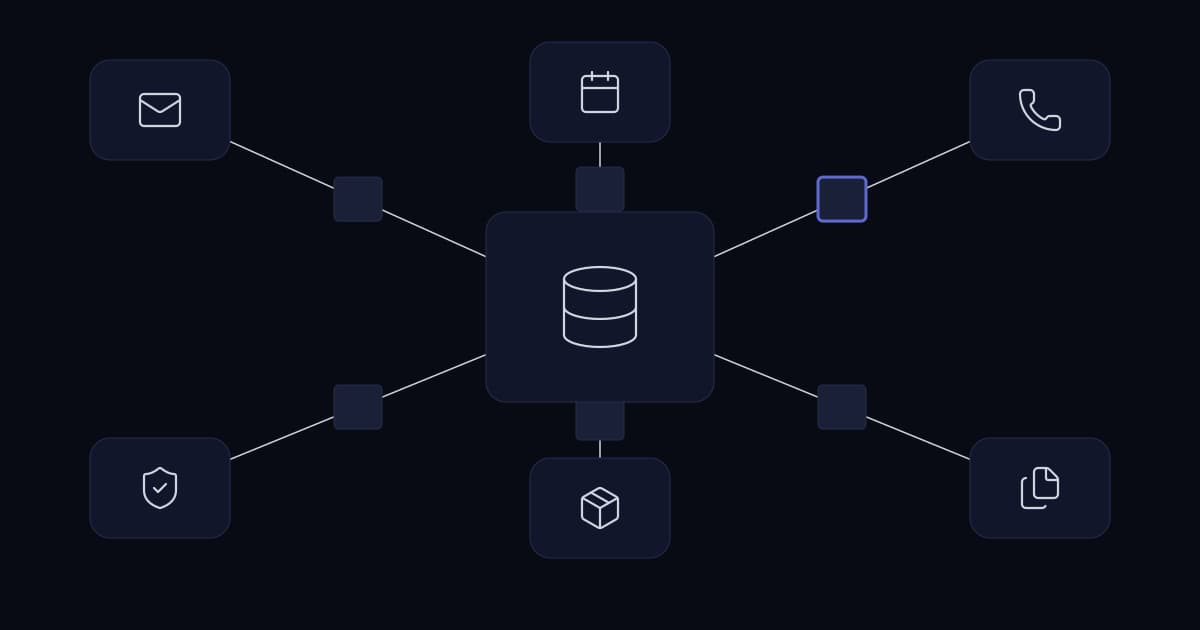
An integration between a CRM and an accounts package runs correctly for six weeks. Then it stops. No alert fires. No error appears in either interface. Both applications continue working normally, because from their point of view nothing is wrong. It is found at month end, when the finance figures will not reconcile against the pipeline and somebody goes looking for a reason.
The cost is rarely the outage itself. It is that six weeks of decisions were made on data that had quietly stopped updating, and that nobody can now say precisely which decisions those were. Rebuilding confidence in the data takes longer than rebuilding the integration. This is the characteristic failure of system integration in a growing business: not dramatic, not loud, and expensive in a way that never appears on an invoice.
Integration failures are rarely connectivity failures
When an integration is scoped, the conversation is usually about whether two systems can talk to each other. That is almost never the hard part. Both platforms publish REST APIs, and a proof of concept moving a record between them can often be built in a morning.
What fails is everything around that call. The record arrives twice and becomes two customers. Two systems change the same field within the same minute and one change disappears. The receiving system is down for ninety seconds and the events sent during that window are gone. A quota is exhausted at 3pm and every subsequent write fails silently until midnight. None of these are connectivity problems. They are the ordinary problems of distributed systems, and they arrive whether or not anyone planned for them.
An integration is not a pipe between two applications. It is a small distributed system, and the three decisions below are the ones any distributed system has to answer before it is built.
Decision 1: which system owns each field
The symptom is familiar. A customer has one phone number in the CRM, a different one in the accounts package, and a third on the support desk. Everyone believes their own system. Nobody is wrong, because nobody ever decided which one was supposed to be right.
Ownership is a property of the field, not of the system
The usual instruction is to establish a single source of truth, and it is well intentioned but at the wrong granularity. No single system is authoritative for everything a customer record contains. The CRM is the right owner of contact details and pipeline stage, because that is where the people who maintain them work. The accounts package owns credit limit and payment terms, because finance changes those and the CRM has no business overwriting them. A billing platform owns subscription state.
Assigning ownership per system rather than per field is what produces sync loops: system A writes to system B, which fires an update event, which writes back to system A, which fires another. The loop is usually discovered when somebody notices a record has been modified four hundred times in an hour.
Write the ownership map before anything else
This is a single page and it is the highest-value artefact in the project. For every field that appears in more than one system, name the owner and the direction. It takes an afternoon, it settles arguments that would otherwise surface six months later, and it is the document a new engineer reads first.
| Field | Owned by | Flows to | Why |
|---|---|---|---|
| Contact name, email, phone | CRM | Accounts, support desk | Maintained by the people who speak to the customer |
| Company legal name | Accounts | CRM | Must match what appears on the invoice |
| Credit limit, payment terms | Accounts | CRM (read only) | Finance decision; sales should see it, never set it |
| Pipeline stage, deal value | CRM | Nothing | No other system has a claim on it |
| Subscription status | Billing | CRM, support desk | Determines entitlement everywhere else |
| Support ticket count | Support desk | CRM (read only) | Useful context on the account, owned elsewhere |
Note how many rows are read only. That is the normal shape of a healthy integration, and it leads directly to the second decision.
Decision 2: which direction data flows
Two-way synchronisation is usually specified by default, because it sounds like the complete version of the requirement. It is worth being precise about what it costs, because integration vendors market it as a feature and it is more accurately described as a problem you are choosing to accept.
Two-way sync is a concurrency problem
One-way sync has one writer, so there is nothing to resolve. Two-way sync permits both systems to change the same field independently, which means conflicts are not an edge case but a guaranteed eventual occurrence. Once conflicts exist you need a resolution policy, and the policies available are all lossy in some way.
Last-write-wins is the common default and the most dangerous, because it discards a real change without telling anyone. It also depends on clocks agreeing between systems, which they do not always do. Source priority, where one system always wins, is more predictable but means the losing system's edits are silently pointless. A manual review queue preserves everything but requires a person, which is what the integration was supposed to remove.
Per-field one-way usually gets the same outcome
The requirement behind a request for two-way sync is almost always that both systems should show current information, not that both should be able to edit everything. Once the ownership map exists, one-way flows in different directions for different fields satisfy that completely, with no conflict semantics at all. Genuine two-way sync on a single field is justified when two teams legitimately edit the same value in different tools and neither can be asked to change. That happens, but far less often than it is specified.
| One-way per field | Two-way on the same field | |
|---|---|---|
| Conflicts | Cannot occur | Certain, given enough time |
| Required decisions | Owner and direction | Owner, direction, conflict policy, clock handling, loop prevention |
| Failure mode | Stale data in the reader | Silent data loss |
| Appropriate when | One team owns the value | Two teams genuinely edit the same value in different tools |
Decision 3: what happens when the same event arrives twice
This is the decision most often skipped, and it directly causes the complaint in every discussion of CRM integration: duplicate records nobody can explain.
Webhooks are delivered at least once, not exactly once
Event delivery over the public internet cannot guarantee that a message arrives exactly once, so mature platforms guarantee the achievable thing instead: that it arrives at least once. The consequence is that duplicates are normal operation rather than a fault. Stripe documents this plainly, stating that webhook endpoints might occasionally receive the same event more than once, and separately that it does not guarantee delivery of events in the order they were generated. Stripe also retries failed deliveries for up to three days with exponential backoff, which means a duplicate can arrive long after the original.
That is a design constraint, not a quirk of one vendor. A consumer that creates a contact on every contact-created event will eventually create two, on the day a network blip causes a retry rather than on the day you are testing.
Make the consumer idempotent
An operation is idempotent when performing it twice has the same effect as performing it once. For an inbound event handler this means deduplicating on the provider's event identifier: record every processed event ID in a fast store with a time to live longer than the provider's retry window, and discard anything already seen. Redis is the usual choice because the lookup is on the hot path of every event.
For outbound writes the equivalent pattern is an idempotency key. Stripe's implementation is a good model: the client generates a unique key, the server stores the status code and body of the first request made with that key, and any repeat returns the original result rather than performing the work again. Stripe retains keys for at least 24 hours and compares the parameters of a repeat request against the original, raising an error if they differ, which prevents a key being reused accidentally for a different operation.
The second half of that pattern matters more than it appears. Without it, a retry that has been modified in flight would be silently accepted as the original.
Retries need backoff, and backoff needs jitter
When a downstream system returns an error, retrying immediately is the intuitive response and the wrong one. If the cause was overload, a tight retry loop from every client at once turns a slow system into an unavailable one. Exponential backoff spaces attempts out, but on its own it leaves every client retrying at the same intervals, so the load arrives in synchronised waves.
Adding randomness to the delay spreads those waves out. Marc Brooker's analysis on the AWS Architecture Blog concludes that the return on implementation complexity of using jittered backoff is huge, and that it should be considered a standard approach for remote clients. For an integration this costs a few lines and eliminates a class of self-inflicted outage.
Respect the API budget, because it is shared with your staff
This is the constraint business readers most often miss. API quotas on CRM platforms are not per-integration. They are consumed from the same allocation your users consume, which means a badly written sync can throttle the CRM for the entire company.
The published figures make the scale concrete. Salesforce limits production organisations to 25 concurrent long-running requests, those taking 20 seconds or more, and returns REQUEST_LIMIT_EXCEEDED beyond that, alongside a daily allocation calculated from edition and licence count. Microsoft publishes a Power Platform limit of 40,000 requests per paid licence per 24 hours, with a separate ceiling of 100,000 requests in any five-minute window. Both are generous for normal use and both are reachable by an integration that polls every record every fifteen minutes.
The practices that keep consumption proportionate are unremarkable: query only for records changed since the last run, use batch endpoints where they exist, cache reference data that changes monthly instead of fetching it per record, and treat a 429 response as an instruction rather than an error by honouring the Retry-After header. The difference between this and naive polling is invisible until the day the quota runs out.
Integrations fail silently, so monitor the data rather than the process
The opening scenario is the norm, not the exception. Integrations run as background processes with no user watching them, so the ordinary signal that something is wrong, a person complaining, does not arrive. When it eventually does, the question is no longer how to fix the integration but which of the last six weeks of reports can be trusted.
A green status indicating that the process is running is close to worthless, because the most common failure is a process that is alive and doing nothing. The signal worth alerting on is the absence of expected activity: no events processed in the last hour during business hours is an incident, even though nothing has errored.
- 1
Alert on silence, not only on errors
Track events processed per interval and alert when the rate falls to zero during hours when it should not be. This catches the failure mode that error alerting cannot see.
- 2
Keep a dead letter queue
Messages that fail permanently after their retries must go somewhere a person will look, with enough context to reprocess them. Without this they are simply lost, and nobody knows how many.
- 3
Reconcile on a schedule
A nightly job that counts records on both sides and reports the difference catches slow divergence that no per-event check will. It is the only mechanism that finds problems introduced weeks earlier.
- 4
Record what was processed
An event log with identifiers and outcomes turns the month-end question of which data can be trusted from an investigation into a query.
None of this needs integration-specific tooling. Where Prometheus and Grafana already cover servers and services, integration metrics belong on the same dashboards, because whoever responds to alerts should not need a second place to look.
Security is not inherited from the CRM
A CRM vendor's security certification covers the CRM. It does not cover the integration you built against it, the credentials that integration holds, or the data it moves into a system with a different security posture. The OWASP API Security Top 10 for 2023 is the reference worth working against, and two of its entries describe the mistakes integrations make most often.
API1, broken object level authorization, is the case where an integration authenticated as a privileged account can read or modify records the requesting context should never see. This happens routinely when an integration is built using a named administrator's credentials because that was fastest. Use a dedicated service account with the narrowest permission set that satisfies the ownership map, and it will also survive that administrator leaving the company.
API10, unsafe consumption of APIs, is the reverse: trusting data from a third-party API more than data from a user. Validate inbound payloads on type, length and expected values before they reach the database, verify webhook signatures so an endpoint cannot be driven by anyone who discovers its URL, and keep credentials in a secret store rather than embedded in workflow definitions. Finally, confirm that moving personal data between systems does not place it somewhere with weaker access control than it had before.
Before you connect anything
Every item below is answerable in a meeting and expensive to answer after go-live.
- The ownership map is written and agreed by the people who maintain each field, with direction decided per field and read-only used wherever the receiving system has no claim.
- A stable unique key exists in both systems for matching records, and it is not the email address.
- Behaviour on duplicate delivery is defined, and the deduplication window is longer than the provider's retry window.
- Estimated request volume is checked against the published quota, including the worst case of a full resync.
- Alerting covers the absence of activity, not only errors.
- A dedicated least-privilege service account exists, and no integration runs as a named person.
- There is a documented way to reprocess failed messages and to re-run the sync from a known point.
A representative scenario
A composite of situations we see repeatedly; no client detail is included.
A company connects its CRM to a support desk and a phone platform. Contacts begin duplicating, slowly enough that it is treated as user error for several weeks. The cause is that the webhook consumer creates a contact on every inbound event, and the provider retries deliveries it considers unacknowledged because the consumer returns a response only after finishing its own processing, which sometimes takes longer than the provider's timeout.
The fix required no new platform. The consumer was changed to acknowledge receipt immediately and process asynchronously, to deduplicate on the provider's event identifier against a short-lived cache, and to match on a stable customer reference rather than on email address. A nightly reconciliation job was added, the existing duplicates were merged once as a data exercise, and the problem did not recur. The instructive part is that the integration had worked as designed throughout. It had simply been designed for a world where every event arrives exactly once.
Frequently asked questions
What is CRM integration?
CRM integration is the practice of connecting a customer relationship management system to the other systems a business runs, such as an accounting package, a support desk, a billing platform or a phone system, so that customer information stays consistent across all of them without being entered more than once. In practice it means deciding which system is authoritative for each field, moving changes between systems through their APIs or webhooks, and handling the cases where a message is delivered twice or a system is briefly unavailable.
Why does our CRM integration keep creating duplicate records?
The most common cause is that the integration is not idempotent. Webhook delivery over the internet guarantees that an event arrives at least once, not exactly once, so providers retry deliveries they consider unacknowledged and the same event can legitimately arrive more than once. If the receiving code creates a record every time it sees an event, duplicates are inevitable. The fix is to record each processed event identifier in a fast cache with a lifetime longer than the provider's retry window and to discard events already seen, and to match records on a stable unique reference rather than on a field like email address that can legitimately change.
Should CRM sync be one-way or two-way?
One-way per field is the correct default. It has a single writer, so conflicts cannot occur and no resolution policy is needed. Two-way synchronisation on the same field lets both systems change it independently, which makes conflicts a certainty over time and forces a choice between resolution strategies that all lose information. The usual requirement behind a request for two-way sync is that both systems display current data, which one-way flows in different directions for different fields satisfy completely.
What happens when two systems change the same field at the same time?
That is a write conflict, and no automatic resolution is correct in every case. The available strategies are last-write-wins, which keeps the most recent change, silently discards the other, and depends on system clocks agreeing; source priority, where a nominated system always wins and the other system's edits are quietly ineffective; and a manual review queue, which preserves both values but requires a person to decide. Because every option loses something, the more productive approach is to design the conflict out by giving each field a single owner and making the flow one-way.
Can a CRM integration slow down or throttle the CRM for other users?
Yes. API quotas on major CRM platforms are allocated to the organisation rather than per integration, so an integration spends the same budget as the staff using the system. Salesforce publishes a limit of 25 concurrent long-running requests for production organisations, returning REQUEST_LIMIT_EXCEEDED beyond it, alongside a daily allocation based on edition and licence count. Microsoft publishes a Power Platform limit of 40,000 requests per paid licence per 24 hours, with a further ceiling of 100,000 requests in any five-minute window. An integration that polls every record instead of querying only what changed can exhaust these allocations and cause failures for ordinary users.
How do you know a CRM integration has stopped working?
Only if you are monitoring for it, because the usual failure is silent. Both applications keep working normally and neither raises an error, so the problem surfaces days or weeks later when figures fail to reconcile. Effective monitoring alerts on the absence of expected activity rather than only on errors, because a process that is running but processing nothing produces no errors at all. A scheduled reconciliation job comparing record counts on both sides catches slow divergence, and a dead letter queue keeps permanently failed messages visible rather than lost.
Conclusion
The three decisions cost an afternoon to make and are difficult to reverse once other systems depend on the integration's behaviour. None of them is specific to a platform and none requires an integration product. They require that somebody wrote down who owns what, and that the code was built for the delivery guarantees these platforms actually offer rather than the ones it would be convenient for them to offer.
Sources and further reading
- Custom CRM vs off-the-shelf CRM: which is right for a growing business?— the decision that precedes this one
- Custom software vs SaaS— the same build-or-buy reasoning generalised beyond CRM
- Client portals vs customer portals— self-service as an alternative to more internal software
- 10 signs your business has outgrown Excel— where the requirement for an integration usually starts
- API integration for modern businesses— what an integration commits you to over its lifetime
- CRM data migration and reconciliation— one-off verification of a migration, as distinct from ongoing reconciliation
- n8n workflow automation for modern businesses— when the orchestration layer is the right answer, and when it is not
- Stripe: Webhook delivery, retries and duplicate events— primary documentation on at-least-once delivery
- Stripe: Idempotent requests— the idempotency key pattern in detail
- Marc Brooker: Exponential Backoff And Jitter (AWS Architecture Blog)
- Salesforce: Platform API request limits
- Microsoft: Power Platform requests limits and allocations
- OWASP API Security Top 10 (2023)
Services This Relates To
Written by KYCONNECTS Engineering.