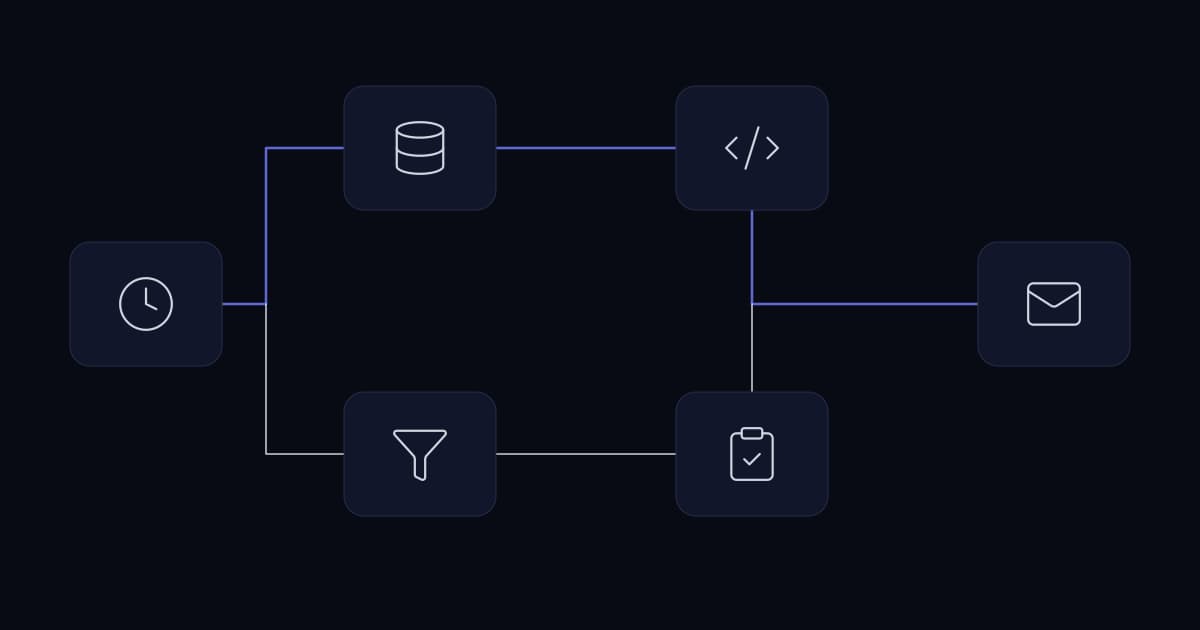
A team is copying information between two systems by hand. Somebody automates it in an afternoon and it works. Over the following months the same thing happens another thirty times, because it is obviously worth doing and there is no reason to stop. A year later the business has forty workflows, four of them load-bearing, none of them version controlled, several holding credentials in plain text, and the person who built most of them has moved on.
Nothing in that story was a mistake at the time. Each individual decision was correct. The problem is that automation quietly converts a labour cost into an engineering liability, and businesses evaluate the first without noticing the second. That trade is usually worth making. It is only worth making deliberately.
This article is about the decisions rather than the mechanics. It uses n8n as its main example because it is what we deploy most often, and it compares the commercial models of Zapier, Make and Microsoft Power Automate where those differences change what you should build.
The business case usually presented is incomplete
The standard justification is hours saved. A task takes fifteen minutes, happens forty times a month, so automation returns ten hours a month and pays for itself in weeks. The arithmetic is correct and the conclusion is often wrong, because it compares a one-off build cost against a recurring saving and stops there.
An automated process is a running system with an ongoing cost. The systems it connects will change their APIs. Credentials will expire. Volume will grow past an assumption made during the build. Someone will need to understand it well enough to modify it when the process changes, which for a business process is roughly annually. None of that appears in the hours-saved calculation, and all of it is real.
A more honest comparison sets the annual cost of doing the work manually against the annual cost of owning the automation, including a realistic maintenance allowance rather than zero.
| Signal | Automation likely pays | Automation likely does not |
|---|---|---|
| Frequency | Daily or many times per day | Weekly or monthly |
| Duration per instance | Long enough that people avoid the task | A couple of minutes |
| Process stability | Unchanged for months | Still being argued about |
| Judgement required | None; the rules are stateable | Someone decides case by case |
| Exception rate | Low, and exceptions are recognisable | High, and every case is slightly different |
| Cost of an error | Detectable and reversible | Irreversible or externally visible |
| Who owns it afterwards | A named person who will still be here | Nobody identified |
The last row decides more outcomes than the first six. An automation nobody owns will be maintained until it breaks at an inconvenient moment, and will then be replaced by the manual process it displaced, usually permanently.
When not to automate
Four cases come up repeatedly where the correct engineering answer is to leave the process alone, and stating them plainly is more useful than another list of things automation can do.
The first is a process that is still changing. Automating a workflow that is being actively redesigned means rebuilding it every few weeks, and the rebuild cost exceeds the saving. Wait until the process has held its shape for a quarter.
The second is a process that is wrong. Automation makes a process faster and more consistent; it does not make it correct. Automating a flawed approval chain produces flawed approvals at higher throughput, and it makes the flaw harder to see because nobody is handling the cases any more. The ordering here matters and is covered in the progression in the custom CRM article: fix the process, then automate it.
The third is where the exception rate is high. Automation handles the defined path well and everything else badly. If forty per cent of cases need a human anyway, the automation adds a routing step to the work rather than removing it, and the team now maintains a system as well as doing the job.
The fourth is where accountability must sit with a person. Some decisions need a named human to have made them, whether for regulatory reasons, contractual ones, or because the consequence of being wrong is serious. Automating the surrounding work while keeping the decision with a person is the correct design, and is covered further below.
What automation removes that nobody accounted for
This is the effect that surprises businesses most, and it is worth understanding before rather than after.
A manual process contains a large amount of invisible error correction. The person moving records between systems notices that a customer name is obviously wrong, that a date cannot be right, that this order looks like a duplicate of the one they handled yesterday. They fix it, or they ask, and they do not report it because from their point of view nothing happened. That correction is not in any process document. It is simply what a competent person does.
Automate the process and that correction disappears. Bad records now flow straight through. The error rate observed afterwards is frequently attributed to the automation, and it is almost always the process's true error rate, which was there the whole time and was being absorbed by people.
The practical implication is that automating a process reveals data quality problems rather than creating them, and the validation the automation needs is roughly the set of checks the human was performing silently. Asking the person who currently does the work what they fix without being asked is the single most useful question in the design phase.
Orchestration is the real problem once you pass a handful of systems
With three systems, connecting them directly is fine. The number of possible connections grows faster than the number of systems, and at eight systems there are twenty-eight possible pairs. Long before that, point-to-point connections become the thing that consumes the time: each one is built differently, each holds its own credentials, and no one place describes what talks to what.
An orchestration layer is a deliberate choice to route that traffic through one place. The benefit is not technical elegance. It is that credentials, logging, error handling and change history live somewhere consistent, and a new person can see the whole picture without reading four codebases. That consistency is what makes automation maintainable at the point where it stops being a few conveniences and starts being infrastructure.
The mechanics of the connections themselves, including which pattern to use and what each platform guarantees about delivery, are covered in the CRM integration and API integration articles rather than repeated here.
The billing unit changes what you should build
Platform comparisons usually focus on connector counts and interface quality. The difference that actually reaches your architecture is what each vendor counts and charges for, because it determines whether processing a thousand records one at a time is trivial or expensive.
| Platform | Billing unit | What the vendor documents | Design consequence |
|---|---|---|---|
| Zapier | Tasks | A task is counted whenever Zapier successfully completes a unit of work. Failed actions do not count, and triggers, polling and built-in tools such as Filter, Paths and Formatter are excluded | Per-record processing is directly metered, so high-volume loops are the expensive pattern |
| Make | Credits | Each action a scenario performs consumes a certain number of credits, and most actions consume one. Error handlers and Router modules are not charged | Similar to Zapier; the number of modules a scenario touches per record is the cost driver |
| Power Automate | Platform requests | Microsoft publishes 40,000 requests per paid licence per 24 hours, with a separate ceiling of 100,000 requests in any five-minute window | Cost is bounded by licence rather than usage, but throughput is capped and shared |
| n8n, self-hosted | Infrastructure | Execution volume is not metered by a vendor; you pay for the server that runs it | Per-record processing is close to free, which removes the commercial pressure to batch |
Consider a workflow that enriches five hundred records. On a task or credit model that is five hundred billable units multiplied by the number of steps each record passes through, and the sensible design is to batch, filter early, and do as much as possible in a single step. On self-hosted infrastructure the same workflow costs whatever the server costs whether it processes five hundred records or five thousand, and the sensible design is whichever is clearest to maintain.
Neither model is better. The point is that the same requirement produces a different correct design depending on the platform, so choosing the platform after designing the workflow tends to produce something that works and costs more than it should.
The licence question that gets asked too late
n8n is frequently described as open source, and businesses reasonably infer from that a set of freedoms that the licence does not actually grant. The distinction matters commercially and is worth establishing before an architecture depends on it.
n8n is published under the Sustainable Use License, which is not an OSI-approved open source licence. It grants a non-exclusive, royalty-free, worldwide licence to use, copy, distribute, make available and prepare derivative works of the software, with a specific limitation: you may use or modify the software only for your own internal business purposes or for non-commercial or personal use, and you may distribute it to others only free of charge and for non-commercial purposes.
For the overwhelming majority of businesses this changes nothing. Running n8n on your own infrastructure to automate your own operations is squarely within internal business purposes. The case where it matters is an agency, managed service provider or software vendor intending to host n8n on behalf of clients as part of a paid service, which is the scenario the licence restricts. That is a licensing conversation with the vendor, and it is considerably cheaper to have before the platform is embedded than after.
Error handling is a design decision, not a settings toggle
The default behaviour of most automation platforms when a step fails is to stop that execution. That is a reasonable default and it is rarely the behaviour the business wants, because it leaves the question of what happened to the work already done unanswered and nobody informed.
Three questions should be answered per workflow, at design time, and written down.
- 1
What happens to partial work?
If the workflow updated two systems and failed before the third, the business is now in a state no one designed. Either the steps must be ordered so that a failure leaves a recoverable state, or the workflow must be safe to run again from the start.
- 2
Who finds out, and how quickly?
A failure that only appears in an execution log nobody opens is an outage with a delayed discovery date. n8n supports assigning an error workflow per workflow, documented as running if an execution fails and required to begin with the Error Trigger node. The equivalent exists on other platforms. What matters is that the destination is somewhere a person actually looks.
- 3
Is re-running it safe?
Re-running a workflow that creates records will create them twice unless it was built not to. This is the same idempotency requirement described in the CRM integration article, and it applies identically here.
Retry settings deserve a similar deliberateness. Retrying is correct for transient failures such as a timeout or a rate limit response, and wrong for permanent ones such as a validation rejection or a revoked credential, where retrying simply produces the same failure repeatedly and delays the alert. Configuring retries without distinguishing the two is common and produces workflows that appear to be working while achieving nothing.
Human-in-the-loop is a design pattern, not an admission of failure
Full automation is often treated as the goal, with any human step regarded as unfinished work. For a category of processes the opposite is true, and building the approval step in from the start is the better design.
The test is what happens if the automation is wrong. Where the action is reversible, cheap and internally visible, let it run. Where it is irreversible, expensive, or reaches a customer or a regulator, an approval gate costs seconds and prevents the class of incident that damages trust in automation generally.
- Money leaving the business, including payments, refunds and credit notes.
- Anything sent to a customer under the company's name, particularly at volume.
- Deletion or merging of records, which is frequently irreversible.
- Actions with a regulatory dimension where a named person must be accountable.
- Any case the workflow itself has flagged as low confidence, which is where a review queue belongs.
A useful pattern for the last item is to automate the confident majority and route the uncertain remainder to a person, rather than choosing between full automation and none. The team's workload falls substantially while the cases most likely to be wrong still receive attention.
Governance decides whether any of this survives
The technical work of building automation is not what fails. What fails is the accumulation of business logic in a place that has none of the controls the business applies to its other software.
Versioning and change management
Application code is version controlled, reviewed and deployed through a process. Workflows are frequently edited directly in a production interface by whoever needs the change, with no record of what changed, no review and no way back. That is not a criticism of the tools, most of which support exporting workflow definitions as files that can be committed. It is a criticism of how they are typically used.
The minimum viable discipline is a separate environment for editing, workflow definitions exported and committed to the same repository as everything else, and a rule that production is not edited directly. This costs very little to establish at workflow number five and is a substantial project at workflow number forty.
Secrets
Automation platforms hold credentials to most of the systems a business runs, which makes the platform itself a high-value target and its access model worth taking seriously. Two failure modes are common: credentials pasted directly into a workflow step rather than stored in the platform's credential store, where they end up in exported definitions and version history, and integrations authenticated as a named employee rather than a service account, which fails the day that person leaves. Both are covered in more detail in the API integration article and both are cheap to avoid at the start.
Ownership and shadow automation
Low-code tools are valuable precisely because people outside engineering can use them, and that same property is how a business ends up with critical processes depending on something nobody in IT knows exists. The answer is not to restrict access, which pushes the activity somewhere less visible. It is to maintain a register of what exists, who owns each workflow, what breaks if it stops, and to require that anything meeting a defined criticality threshold is reviewed.
Monitoring and logging
Automation fails silently by nature. The workflow is not running in front of anyone, and the most common failure is not an error but a trigger that quietly stopped firing, which produces no error at all because nothing ran.
Two things are worth setting up on the day the first business-critical workflow goes live. The first is alerting on the absence of expected executions rather than only on failures, which is the same principle described in the CRM integration article and the only way to catch a workflow that has stopped being triggered. The second is deciding how long execution history is retained, because that history is the audit trail: when someone asks in six weeks whether a particular record was processed, the answer either exists or it does not.
Where Grafana and Prometheus already monitor the estate, automation metrics belong on the same dashboards rather than in a separate tool with a separate login.
Scaling, and knowing when to stop
Automation platforms scale further than most businesses need, generally by running a queue with separate worker processes so that executions are distributed rather than handled by a single instance. That is a configuration matter and it is well documented by the vendors.
The more useful judgement is knowing when a workflow has outgrown the tool. The signals are consistent: the workflow has become large enough that no one can follow it visually, its logic includes substantial branching and transformation that would be a few dozen readable lines in code, it processes volumes where per-record overhead matters, or it has become genuinely business critical and needs the testing discipline that application code receives.
At that point the correct move is to migrate that specific workflow into a small service and keep the orchestration platform for what it is good at, which is connecting things and scheduling. Treating this as a failure of the platform is a mistake; it is the platform having done its job, which was to establish what the process actually needed to be before anyone committed engineering time to it.
Common failures
| Failure | Origin | Prevention |
|---|---|---|
| Workflow stopped weeks ago and nobody noticed | Monitoring only alerts on errors, not on silence | Alert on absence of expected executions |
| Records created twice after a re-run | Workflow not safe to repeat | Design for repeat execution before enabling retries |
| Retries hammering a permanently failing step | No distinction between transient and permanent errors | Retry timeouts and rate limits only; alert on the rest |
| Critical workflow nobody can modify | Built by one person, undocumented, not exported | Ownership register and workflow definitions in version control |
| Credentials found in an exported workflow file | Secrets pasted into steps rather than the credential store | Credential store only, service accounts not named users |
| Error rate appears to rise after automation | Silent human error correction removed | Ask the current operator what they fix without being asked, and build those checks in |
| Unexpectedly large platform invoice | Per-record design on a per-task billing model | Understand the billing unit before designing the workflow |
Before you automate a process
- The process has been stable for at least a quarter and is not currently being redesigned.
- Someone has confirmed the process is correct, not merely established.
- The frequency and duration justify the build cost plus an annual maintenance allowance.
- The exception rate is known, and the plan for exceptions is a review queue rather than optimism.
- The person who currently performs the task has been asked what they silently fix.
- Irreversible or externally visible actions have an approval step.
- The workflow is safe to run twice.
- Failures reach a person, and absence of execution raises an alert.
- Credentials are in the credential store, held by a service account rather than an individual.
- The workflow definition is exported to version control and a named owner is recorded.
A representative scenario
A composite of situations we see repeatedly; no client detail is included.
An operations team automates the handling of inbound supplier documents: extract the reference, look up the matching record, update two systems, notify the owner. It works, it saves a genuine several hours a week, and over the following months a dozen similar workflows follow.
The first problem is commercial. The workflows were built on a per-task platform and process each document individually through six steps, so the monthly bill grows linearly with document volume in a way nobody modelled. The second problem is operational. One workflow's trigger stops firing after a credential rotation, and because monitoring only reported failures and nothing ran, the gap is discovered eleven days later by a supplier chasing payment. The third is organisational: the workflows were built by one person, edited directly in production, and never exported.
None of these required a different platform. The remediation was to batch document processing rather than handle each individually, add absence-based alerting and an error workflow routing to a monitored channel, move credentials to service accounts, export every workflow definition into the existing repository, and record a named owner for each. The automation itself was sound; what was missing was everything around it.
Frequently asked questions
What is workflow automation?
Workflow automation is the practice of having software perform a sequence of steps that a person would otherwise do by hand, typically involving moving or transforming data between systems, triggered either by an event such as a form submission or on a schedule. In a business context it usually connects applications such as a CRM, an accounting package, a support desk and email, executing rules that were previously carried out manually. Platforms such as n8n, Zapier, Make and Microsoft Power Automate provide this through pre-built connectors and a visual editor, so that workflows can be built without writing a full application.
When should a business not automate a process?
Automation should be avoided in four situations. When the process is still being changed, because each redesign forces a rebuild that costs more than the saving. When the process itself is wrong, because automation increases the throughput of a flawed process rather than correcting it. When the exception rate is high, because the automation handles the defined path and routes everything else back to a person, adding a step rather than removing work. And when accountability must rest with a named individual for regulatory or contractual reasons, where the correct design is to automate the surrounding work and keep the decision with a person.
Is n8n free for commercial use?
n8n is published under the Sustainable Use License, which is source-available rather than OSI-approved open source. It permits use and modification of the software for your own internal business purposes, and permits distribution to others only free of charge and for non-commercial purposes. Running n8n on your own infrastructure to automate your own company's operations falls within internal business purposes. Hosting it on behalf of clients as part of a paid service, as an agency or managed service provider might, is the case the licence restricts and requires a commercial arrangement with the vendor. Reading the licence before an architecture depends on it is considerably cheaper than afterwards.
What is the difference between n8n, Zapier, Make and Power Automate?
The most consequential difference for design purposes is what each vendor counts and charges for. Zapier bills per task, defined as a unit of work successfully completed, excluding triggers, polling and built-in tools. Make bills in credits, where most individual actions consume one. Microsoft Power Automate works within published platform request limits of 40,000 per paid licence per 24 hours with a further ceiling of 100,000 in any five-minute window. Self-hosted n8n is not metered by execution at all, so the cost is the infrastructure it runs on. This changes design: on metered platforms, processing records individually is directly expensive and batching is the economical pattern, whereas on self-hosted infrastructure the clearest design is usually the right one.
Why do automated workflows fail silently?
Because the most common failure is not an error but an absence. A trigger stops firing after a credential rotation, a permission change or an upstream system alteration, so nothing runs, no error is raised, and any monitoring that watches for failures sees nothing wrong. The workflow appears healthy in every dashboard while doing nothing at all. The only reliable detection is alerting on the absence of expected executions during periods when activity is expected, alongside an error workflow that routes genuine failures to a channel a person actually monitors.
How do you calculate the return on investment of automation?
Compare the annual cost of performing the work manually against the annual cost of owning the automation, rather than comparing manual hours against a one-off build cost. The ownership cost includes maintenance when connected systems change their interfaces, credential renewal, occasional modification as the business process evolves, and any platform or infrastructure charges. Two factors that are usually omitted materially affect the result: high-frequency and long-duration tasks clear this bar easily while short weekly tasks frequently never do, and an automation without a named owner tends to be abandoned when it breaks, returning the work to the manual process while the build cost remains spent.
Conclusion
Automation is one of the highest-return investments available to a growing business, and the returns are concentrated in a narrower set of processes than the enthusiasm around it suggests. Stable, frequent, rule-based work with a low exception rate pays back quickly and keeps paying. Everything else needs the honest version of the calculation.
What separates businesses running forty reliable workflows from those running forty fragile ones is not the platform and not the skill of whoever built them. It is whether anyone decided, at the point where automation stopped being a convenience and started being infrastructure, to treat it as infrastructure.
Sources and further reading
- CRM integration best practices— duplicate delivery, idempotency and monitoring for the connections a workflow makes
- API integration for modern businesses— credential lifecycles, vendor change and integration inventory
- Custom CRM vs off-the-shelf CRM: which is right for a growing business?— where automation sits in the progression from configuration to custom build
- AI integration without replacing existing systems— what changes when the step you are orchestrating is non-deterministic
- AI-powered customer support— a worked example of orchestration with a human approval step
- Secrets management for business systems— where the credentials in these workflows should actually live
- n8n: Sustainable Use License— the internal business purposes limitation, in full
- n8n: Handle errors gracefully— error workflows and the Error Trigger node
- Zapier: pricing and how tasks are counted
- Make: pricing and how credits are consumed
- Microsoft: Power Platform requests limits and allocations
Services This Relates To
Written by KYCONNECTS Engineering.