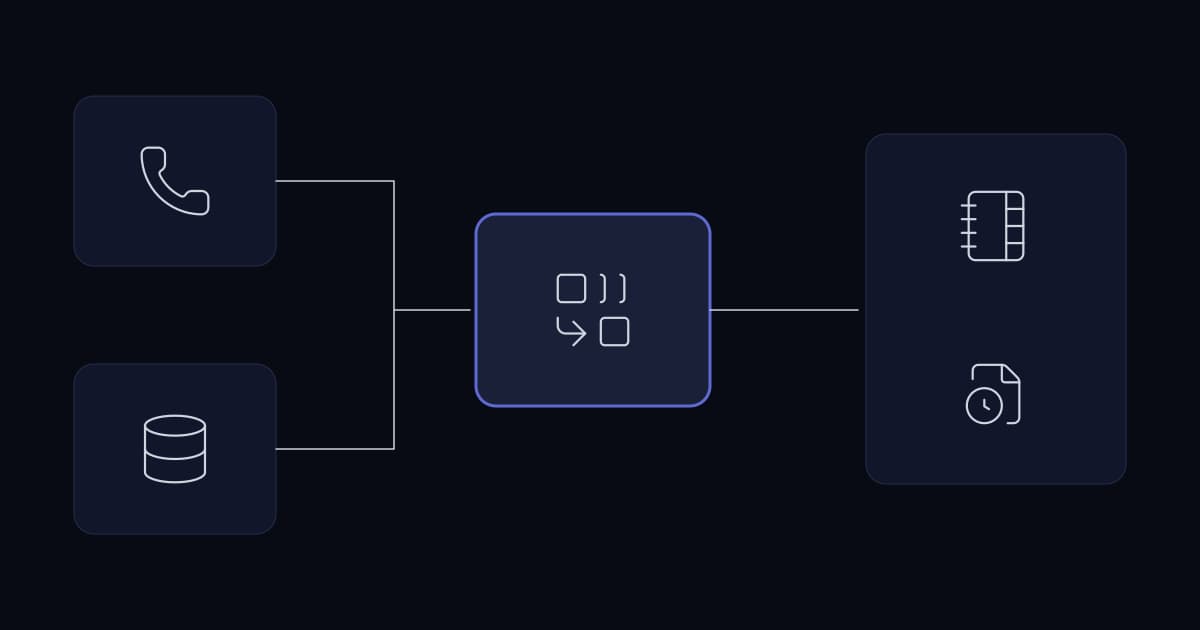
An agent answers a call. The customer's record is already on screen, with their last three tickets and the outstanding invoice visible before the agent says hello. That is the demonstration, and it is genuinely valuable — it removes the thirty seconds of asking for a reference number that every caller resents.
The reason it often fails in production has nothing to do with telephony. The caller's number arrives as +441632960123, the CRM holds it as 01632 960123, and no record matches. The integration is working perfectly and finding nothing, so agents stop expecting the screen pop and go back to asking for a reference number. The feature was bought, delivered, and quietly abandoned.
This article covers the integration itself. The CRM-side practices it depends on — field ownership, duplicate handling, idempotency — are covered in the CRM integration article, and the voice platform underneath it in the call centre article.
What is actually being connected
Asterisk describes itself in its own repository as an open source PBX and telephony toolkit. FreePBX is a web interface and module framework that sits on top of it and generates Asterisk configuration; it is not a separate telephony engine. Integration therefore happens against Asterisk's interfaces, with FreePBX providing the administrative layer around them.
Two mechanisms carry almost all CRM integration work. Asterisk exposes a management interface over which an external application can receive call events and issue commands — this is what makes both screen pop and click to call possible. Separately, call detail records are written to a database, which is what makes historical reporting and reconciliation possible.
The distinction matters operationally. Event-driven integration is real time and lossy: if the listener is down when a call arrives, that event is gone. Database-driven integration is delayed and complete. A design that uses events for the live experience and the CDR database for reconciliation gets both properties, and that pairing is the single most useful architectural decision in this area.
Number matching is the whole problem
Everything else in a CRM integration is mechanical. Matching a caller to a record is where deployments succeed or fail, and it fails for reasons that look trivial written down and are relentless in production.
| Stored form | Why it exists |
|---|---|
| +441632960123 | Entered correctly in international format |
| 01632 960123 | Entered as a person would write it locally |
| 01632960123 | Entered without spacing |
| 0044 1632 960123 | International prefix written the old way |
| 1632960123 | Leading zero lost to a spreadsheet import |
| 01632 960123 ext 204 | Extension appended in the same field |
A caller ID arrives in one canonical form. None of the stored variants above will match it with a simple comparison, and a CRM of any age contains all of them. The integration appears broken; the data is the problem.
Normalise on both sides
- 1
Normalise the incoming number
Strip spacing and punctuation, resolve the national prefix to an international one, and produce a single canonical form before any lookup happens.
- 2
Normalise the stored numbers
Either clean the CRM data once, or maintain a normalised search field alongside the display field. The second is usually preferable, because it keeps the human-readable form intact while giving the integration something reliable to match against.
- 3
Match on the last significant digits as a fallback
Where full normalisation is impossible, comparing the final eight or nine digits catches most variants. It is imprecise and it is far better than failing.
- 4
Handle multiple matches deliberately
One number belonging to three contacts at the same company is normal. Presenting a short chooser is better than picking arbitrarily, and far better than treating it as no match.
- 5
Handle no match usefully
An unknown caller should open a blank record pre-filled with the number, ready to save. Treating no match as nothing to do wastes the most valuable moment of a new-customer call.
The fifth step is the one businesses skip and then miss. The moment an unrecognised caller is on the line is the moment a record is easiest to create accurately, and an integration that does nothing in that case leaves the agent typing into a separate window while the customer waits.
The three integrations, separately
Screen pop on inbound
An inbound call triggers an event; the integration normalises the number, looks it up, and surfaces the matching record to whoever answers. The subtlety is timing and targeting: popping at ring time means the record appears for a call that may be answered by someone else or not at all, while popping at answer means a second or two of delay after the agent has already started speaking.
Popping on answer, to the extension that answered, is the behaviour most operations settle on. It is worth confirming which the platform delivers rather than assuming, because a pop that appears on five agents' screens for every ringing call is actively disliked.
Click to call on outbound
The simplest of the three and the most immediately appreciated, because it removes transcription errors as well as keystrokes. The integration issues an originate command: ring the agent's extension first, then dial the customer when the agent picks up.
The detail that matters is which caller ID is presented. A customer receiving a call from a random extension will not recognise it and may not answer; presenting the main business number, or the number that customer normally deals with, materially affects answer rates. This is a configuration decision rather than a code one and it is often left at default.
Writing outcomes back
The least demonstrated and the most valuable over time. When a call ends, an activity record is created against the customer: direction, duration, who handled it, the outcome, and a reference to the recording where one exists.
This is what makes the CRM a complete record of the relationship rather than a record of everything except the phone calls. It is also where the reconciliation pairing earns its place: real-time write-back covers the live case, and a scheduled job comparing the CDR database against logged activities catches anything the event stream missed.
Data-driven routing: the underused half
Most CRM integrations stop at giving the agent information. The larger gain is using the same lookup to decide where the call should go, before anyone answers.
- Route to the account owner where one is assigned and available, rather than to a general queue.
- Route to the team already handling an open ticket for that customer, which removes the explanation the caller would otherwise repeat.
- Prioritise in the queue by account attribute, where the business genuinely operates differently for different customers.
- Route by language where the record holds a preference.
- Send known-bad or blocked numbers somewhere other than the main queue.
The second is the one customers notice most. Reaching a person who already knows why you are calling is the difference between a service interaction and an ordeal, and the data required is already in the CRM.
There is a latency constraint worth designing around. This lookup happens while the caller is listening to ring tone, so it needs a strict timeout and a defined fallback. A routing decision that waits three seconds for a slow CRM query has degraded the experience it was meant to improve, and the fallback — send to the normal queue — must be automatic rather than an error.
Common mistakes
| Mistake | Why it happens | What to do instead |
|---|---|---|
| No number normalisation | Testing used clean numbers entered by the engineer | Normalise both incoming and stored numbers; test against real CRM data |
| No match treated as nothing to do | The demo only covered known callers | Open a blank record pre-filled with the number |
| Multiple matches resolved arbitrarily | The lookup returns the first row | Present a chooser; arbitrary selection destroys trust quickly |
| Screen pop at ring, to every extension | It is the simpler event to handle | Pop on answer, to the extension that answered |
| Extension presented as outbound caller ID | Left at platform default | Present the main business number or the customer's usual contact number |
| Recordings copied into the CRM | It seems more convenient | Store a reference; keep one copy under one access policy and one retention rule |
| Event stream only, no reconciliation | Real time felt sufficient | Pair events with a scheduled CDR comparison to catch what was missed |
| Routing lookup with no timeout | It was fast in testing | Strict timeout with automatic fallback to the normal queue |
A representative scenario
A composite of situations we see repeatedly; no client detail is included.
A support operation commissions screen pop, click to call and call logging together. It is delivered on time and demonstrates well. Within two months agents have stopped relying on it.
The review found the match rate below half. The CRM held numbers in at least five formats, accumulated over years of imports and manual entry, and the integration compared strings directly. Unmatched callers produced nothing at all, so agents opened the CRM manually every time and stopped watching for the pop. Call logging worked, but only through the event stream, so any call arriving while the listener was restarting was never recorded — and nobody had noticed, because nothing reported it.
The remediation was mostly data work. A normalised search field was added alongside the display field and populated across the existing records, with new entries normalised on save. Incoming numbers were normalised to the same canonical form, with a last-nine-digits fallback. Unmatched callers began opening a pre-filled blank record. A nightly job comparing the CDR database against logged activities was added, which immediately surfaced the gap from the event stream and has caught several since.
Match rate moved into the nineties. Nothing about the telephony changed.
Implementation checklist
- Incoming caller ID is normalised to a single canonical form before any lookup.
- Stored numbers are normalised, ideally in a search field alongside the human-readable one.
- A last-significant-digits fallback exists for numbers that cannot be fully normalised.
- Multiple matches present a chooser rather than selecting arbitrarily.
- No match opens a blank record pre-filled with the number.
- Screen pop fires on answer, to the extension that answered.
- Outbound caller ID is set deliberately rather than defaulting to the extension.
- Call outcomes are written back as activity records against the customer.
- Recordings are referenced rather than copied into the CRM.
- A scheduled reconciliation compares the CDR database against logged activities.
- Routing lookups have a strict timeout and an automatic fallback to the normal queue.
- Match rate is measured, so degradation is visible before agents abandon the feature.
Frequently asked questions
What does FreePBX CRM integration actually involve?
Three separate integrations that are usually discussed as one feature. Screen pop uses call events from the Asterisk management interface to look up the caller and surface their record to whoever answers. Click to call issues an originate command so an agent can dial from within the CRM, typically ringing the agent's extension first and then the customer. Call logging writes the outcome of each call back to the customer record as an activity. They have different mechanisms and different failure modes, and building all three at once commonly means none is finished properly.
Why does screen pop fail to find the customer?
Almost always number formatting rather than anything in the telephony. Caller ID arrives in one canonical form while a CRM of any age holds the same number in several — international format, local format with and without spacing, an old-style international prefix, a version missing its leading zero after a spreadsheet import, and some with an extension appended in the same field. A direct string comparison matches none of them. The fix is to normalise both sides to a single canonical form, ideally by maintaining a normalised search field alongside the human-readable one, with a last-significant-digits comparison as a fallback.
Should call recordings be stored in the CRM?
No — store a reference to the recording rather than the audio itself. Copying recordings into the CRM duplicates storage, bypasses the access controls applied to the recording store, and complicates retention, because the same recording now exists in two places under two different deletion schedules. A link that resolves through the existing access control keeps one copy governed by one policy, which matters because recordings routinely contain payment and personal information spoken aloud.
What happens when the caller is not in the CRM?
The integration should open a blank record pre-filled with the incoming number, ready to save. Treating no match as nothing to do wastes the most valuable moment of a new-customer call: the point at which a record is easiest to create accurately, while the person is on the line. It also has a second effect that is harder to reverse — agents who see nothing happen for unrecognised callers stop watching for the screen pop at all, and the feature falls out of use even for the calls where it does work.
Can a CRM integration route calls as well as display information?
Yes, and it is the underused half. The same lookup that identifies the caller can decide where the call goes before anyone answers: to the account owner if available, to the team already handling an open ticket for that customer, by language preference held on the record, or by account priority where the business genuinely operates differently for different customers. Routing to whoever is already dealing with the customer's open issue is the one callers notice most. The constraint is latency — the lookup happens while the caller hears ring tone, so it needs a strict timeout and an automatic fallback to the normal queue rather than an error.
Why do calls go missing from the CRM activity log?
Because event-driven integration is lossy by nature. If the listener is restarting, or the connection to the management interface has dropped, events arriving during that window are gone and nothing reports their absence. The reliable pattern is to pair the two available mechanisms: use events for the real-time experience, and run a scheduled job that compares the call detail record database against logged activities to catch anything the event stream missed. The CDR database is delayed and complete where the event stream is immediate and lossy, and using both gives you the properties of each.
Conclusion
CRM telephony integration is judged by agents within about two weeks. If the record appears for most calls, they build the habit and the value compounds. If it appears for half, they stop looking, and the integration is technically live and practically dead.
That threshold is decided almost entirely by number normalisation, which is data work rather than telephony work and is usually discovered after delivery rather than before. Measuring match rate from the first week is what turns it into a fixable number instead of a quiet abandonment.
Sources and further reading
- CRM integration best practices— field ownership, duplicate handling and idempotency on the CRM side
- Asterisk vs 3CX: choosing a phone platform— the platform decision underneath this integration, and how licensing shape decides it
- Building reliable call centre infrastructure— the voice platform this integration sits on
- Automating FreePBX call reporting across two MySQL servers— working directly with the CDR database
- Data retention and archiving for growing businesses— why recordings should have one location and one retention rule
- Asterisk documentation
Services This Relates To
Written by KYCONNECTS Engineering.