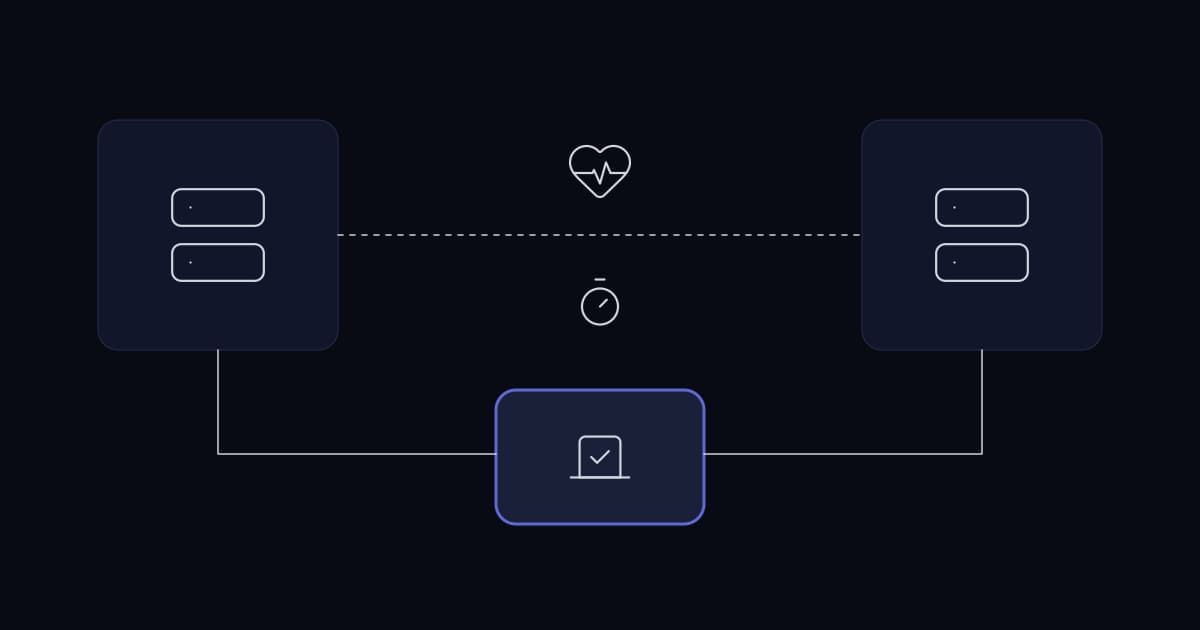
A business has an outage, loses a day, and the instruction that follows is that this must never happen again. Someone puts a number on it — four nines, five nines — and it goes into a requirements document.
That number is almost always chosen without anyone calculating what it permits or what it costs. It sounds like a target. It is actually a budget commitment, and the commitment is much larger than the person writing it expects.
There is also a substitution happening. What the business wants is not to lose a day again. High availability is one way to achieve that, and for most businesses it is neither the cheapest nor the most reliable one.
What the nines actually mean
Availability percentages translate directly into permitted downtime. The arithmetic is not disputed and it is worth seeing before agreeing to a figure.
| Availability | Per year | Per month | Per week |
|---|---|---|---|
| 99% | 3d 15h 36m | 7h 18m | 1h 41m |
| 99.9% | 8h 45m | 43m 50s | 10m 5s |
| 99.95% | 4h 22m | 21m 55s | 5m 2s |
| 99.99% | 52m 34s | 4m 23s | 1m 1s |
| 99.999% | 5m 15s | 26s | 6s |
Read the 99.99% row carefully. Fifty-two minutes per year is the total budget for everything: hardware failure, operating system patching, database upgrades, network maintenance, certificate renewal, and every human error for twelve months.
A single reboot for a kernel patch, done four times a year at three minutes each, consumes a quarter of it. This is why four nines is not a monitoring target but an architectural constraint — it forbids planned downtime, which means every component must be upgradeable while serving traffic, which is a property you have to design in rather than configure on.
The question nobody asks first: what does an hour cost?
The availability target should be derived from the cost of downtime, not chosen from a list. Two figures decide it, and both are specific to your business rather than to your industry.
- Recovery Time Objective — how long the system may be down before the consequence becomes unacceptable.
- Recovery Point Objective — how much recent work may be lost. Fifteen minutes of orders, or none.
These two vary enormously by system inside the same business, which is the point. A contact centre's telephony has an RTO measured in minutes because idle agents cost money every minute and customers hear the failure directly. The same business's internal reporting warehouse can be down for a day with no measurable consequence.
Applying one availability target across every system is what makes high availability unaffordable. Applying it to the two or three systems whose RTO genuinely justifies it usually makes it affordable, and it concentrates the engineering attention where it produces value.
- 1
List the systems, not the servers
Order entry, telephony, email, file access, the CRM, reporting. Business functions, because that is the level at which downtime has a cost.
- 2
Put an hourly cost against each
Idle staff, lost orders, contractual penalties, and the recovery work that follows. Rough is fine; the ranking is what matters.
- 3
Set RTO and RPO per system from that cost
You will find most systems tolerate hours, and one or two tolerate minutes. That distribution is the design.
- 4
Only then choose an architecture
The systems with an RTO of hours need reliable, tested restore. The ones with an RTO of minutes need redundancy. They are different builds and different budgets.
High availability and backup solve different problems
This is the most consequential misunderstanding in the subject, and it is regularly discovered during an incident rather than before one.
High availability protects against a component stopping. A server dies, a disk fails, a power supply goes, and something else takes over. What it does not protect against is the data being wrong — because a replicated system replicates the wrong data faithfully and immediately.
| Failure | High availability | Backup |
|---|---|---|
| Server hardware fails | Yes | Slowly |
| Disk fails | Yes | Slowly |
| Data centre loses power | Only if multi-site | Slowly |
| Someone deletes the wrong table | No — replicated instantly | Yes |
| Ransomware encrypts the data | No — replicated instantly | Yes, if the copy is out of reach |
| A bad deployment corrupts records | No — replicated instantly | Yes |
| Application bug writes wrong values | No — replicated instantly | Yes |
Four of the seven rows are answered only by backup, and those four are the more common causes of serious data loss in ordinary businesses. A cluster with no tested restore is protected against the failures that are rarer and exposed to the ones that are not.
Why a naive cluster can be worse than one server
Adding a second server does not halve the failure rate. It changes the failure modes, and some of the new ones are worse than the one being removed.
Split brain
Two nodes are meant to coordinate so that only one serves at a time. The link between them fails while both are still running. Each concludes the other is dead and takes over. Both now accept writes, and the two datasets diverge.
Recovering from this is worse than recovering from a straightforward outage, because there is no correct dataset to return to — there are two partly-correct ones, and reconciling them is manual work under time pressure with the business waiting.
The mechanisms that prevent it are quorum and fencing. Quorum means a partition only acts if it holds a majority of configured nodes. Fencing — described in the Pacemaker documentation as STONITH, shoot the other node in the head — is the ability to guarantee a node is not running a service, typically by cutting its power through an intelligent switch. That documentation is direct about why it exists: a cluster cannot safely recover from certain failure conditions, such as an unresponsive node, without fencing.
This has a consequence people find counterintuitive. Two nodes cannot form a majority when they disagree — one of two is not a majority. A two-node cluster therefore needs either a third voting member, which can be a small witness rather than a full node, or working fencing. Two nodes and neither is the configuration that produces split brain, and it is also the most commonly deployed one, because it looks like the cheapest.
Correlated failure
Redundancy assumes components fail independently. Frequently they do not.
- Two servers in one rack share a power feed, a switch and a cooling zone.
- Two disks from one batch share a manufacturing defect and a similar age.
- Two instances in one availability zone share the zone.
- Two nodes running the same software share the same bug, and it triggers on the same input.
- Two certificates issued together expire together.
The last two are worth dwelling on because no amount of hardware redundancy addresses them. A software fault or an expired certificate takes every replica at once, and it does so during business hours because that is when the triggering input arrives.
Added complexity as its own failure source
A cluster is more moving parts than a single server: cluster manager, shared or replicated storage, virtual addressing, fencing hardware, and the failover logic itself. Each is a component that can fail, and the failover logic in particular is exercised rarely, which means it is the least tested code in the system at the moment it matters most.
Clusters that have never failed over under load frequently fail to fail over when required. If failover is not rehearsed on a schedule, its reliability is unknown rather than high.
The architectures, and what each is actually for
| Architecture | Typical RTO | Complexity | Suits |
|---|---|---|---|
| Single server, tested restore | Hours | Low | Most internal systems |
| Single server, warm standby | Minutes to an hour | Low to medium | Systems where hours are too long but cost matters |
| Active-passive cluster | Seconds to minutes | Medium | Databases and stateful services |
| Active-active, load balanced | Seconds or none visible | Medium | Stateless application tiers |
| Multi-site | Depends on data strategy | High | Site-loss tolerance, regulatory requirement |
One pattern is worth calling out because it is under-used. Warm standby — a second machine, kept current by replication, promoted manually — delivers an RTO of minutes at a fraction of the complexity of automatic failover, and it has no split brain risk because a human decides.
For a business whose real requirement is not to lose a day, that is frequently the correct answer, and it is rarely the one proposed, because it is not an impressive architecture.
Stateless and stateful are different problems
Making a web or application tier redundant is comparatively easy: run several, put a load balancer in front, health-check them, and remove the failed one. There is no authoritative copy of anything to lose.
Data is where the difficulty lives, and it lives there because of a trade-off that cannot be engineered away. Synchronous replication guarantees the standby has every committed write, so RPO is zero — but every write waits for the standby, so latency rises and a slow standby slows production. Asynchronous replication does not slow production, but the standby lags, and whatever is in that lag is lost on failover.
There is no configuration that provides zero RPO and zero latency cost. Choosing between them is a business decision about how much recent work may be lost, and it should be made by the business rather than defaulted to by whoever installs the database.
What to do if the requirement lands on your desk
- 1
Convert the nines into minutes
Show the table above to whoever specified the target. Four nines is fifty-two minutes a year including all patching. The conversation usually changes at this point.
- 2
Separate the systems
Establish RTO and RPO per system. One target across the estate is what makes this unaffordable.
- 3
Verify restore before adding redundancy
Perform a full restore, time it, and record the number. That is your current RTO, measured rather than assumed, and it is frequently better or worse than anyone believed.
- 4
Remove single points of failure in the cheap places first
Dual power supplies, a second network path, a spare switch on the shelf. Low cost, no new failure modes, no split brain.
- 5
Cluster only what the RTO requires
And when you do, configure quorum properly and fencing that has been tested. A cluster without either is a split brain waiting for a network blip.
- 6
Rehearse failover on a schedule
Quarterly, deliberately, with the result written down. Untested failover is an assumption, not a capability.
- 7
Watch for the correlated failures
Certificate expiry dates, shared power and network paths, disks from one batch, and the same software version everywhere.
How much downtime does 99.99% availability allow?
Fifty-two minutes and thirty-four seconds per year, or about four minutes and twenty-three seconds per month. That budget covers everything: hardware failure, operating system patching, database upgrades, network maintenance and human error. Because it effectively forbids planned downtime, four nines is an architectural constraint requiring components that can be upgraded while serving traffic, not a target that can be configured onto existing systems.
Does high availability remove the need for backups?
No, and the two protect against different failures. High availability protects against a component stopping. It provides no protection against data being wrong — a deleted table, a ransomware encryption, a corrupting deployment or an application bug is replicated to every node immediately and faithfully. Those causes account for a large share of serious data loss, and only backup addresses them.
What is split brain and why does it matter?
Split brain occurs when the link between cluster nodes fails while the nodes themselves keep running. Each concludes the other has died and takes over, so both accept writes and the datasets diverge. It is worse than a plain outage because there is no single correct dataset to recover to. It is prevented by quorum, meaning a partition acts only if it holds a majority of configured nodes, and by fencing, which guarantees a node is not running a service.
Why does a two-node cluster need a third member?
Because one of two nodes is not a majority. When two nodes lose contact with each other, neither can establish quorum, so neither can safely determine whether it should take over. The resolutions are a third voting member — which may be a lightweight witness rather than a full node — or working fencing that guarantees the other node is powered off. A two-node cluster with neither is the standard cause of split brain.
What is the difference between RTO and RPO?
Recovery Time Objective is how long a system may be unavailable before the consequence becomes unacceptable. Recovery Point Objective is how much recent work may be lost, measured as a period of time. They are set independently and per system, and they drive different engineering: RTO drives failover and restore speed, while RPO drives replication strategy and backup frequency.
Sources and further reading
- Infrastructure planning for growing businesses— capacity and headroom, which this article assumes is already decided
- VMware vs Hyper-V— the platform the clustering described here runs on
- Windows Server: the practices that actually matter— domain controller redundancy, and the restore that is never tested
- Hybrid infrastructure: deciding what goes where— why a steady workload is usually cheaper on hardware you own
- Network design for a growing business— the network the availability design depends on
- Infrastructure monitoring that works— how you find out a node has failed, which redundancy alone does not tell you
- Building reliable call centre infrastructure— the RTO-in-minutes case, worked through for telephony
- Data retention and archiving for growing businesses— the backup side of the table above, including copies out of an attacker's reach
- A cybersecurity checklist for growing businesses— control 11, data recovery, in the context of the full control set
- Pacemaker Explained — ClusterLabs— quorum, no-quorum-policy, and the definition of fencing and STONITH quoted above
- Corosync— the cluster membership and messaging layer underneath Pacemaker
- PostgreSQL: high availability and replication— the synchronous versus asynchronous trade-off, documented by the project
- MySQL: semisynchronous replication— the same trade-off in MySQL, where the default is asynchronous
- MySQL InnoDB Cluster— quorum-based group replication, and why an odd number of members matters
Services This Relates To
Written by KYCONNECTS Engineering.