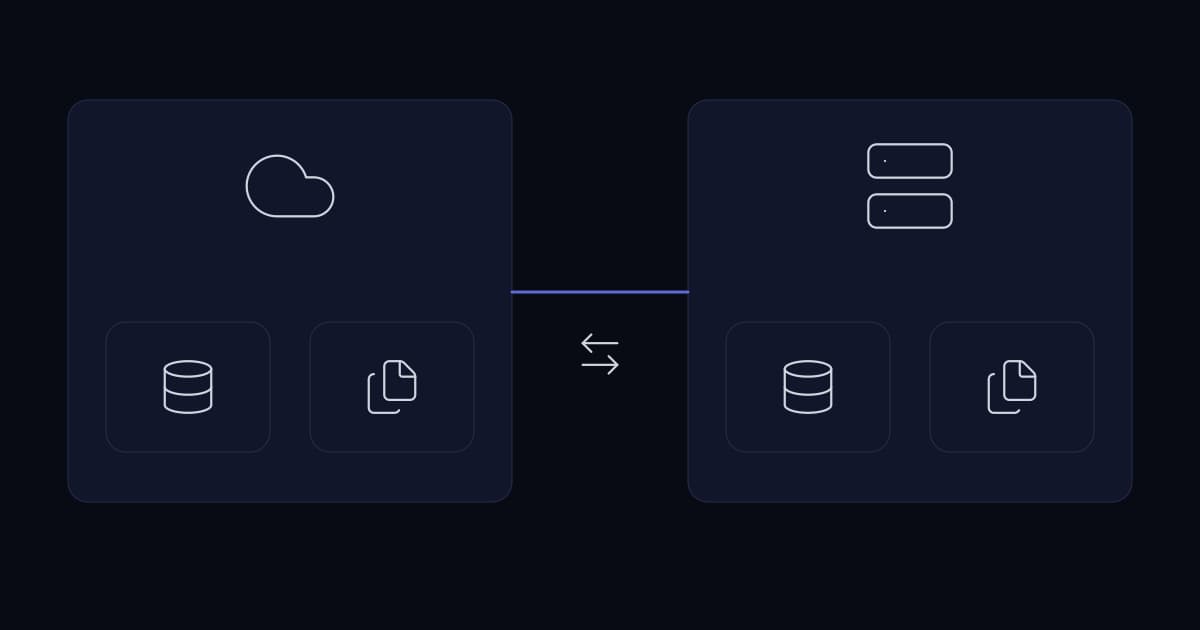
Most growing businesses are already hybrid and did not decide to be. Email moved to a cloud service, then file storage, then a line-of-business application arrived as SaaS, while the server room kept the phone system, the file server, the domain controller and the application nobody has been able to move.
This is a reasonable place to have arrived at. The problem is not the shape; it is that nothing about the shape was chosen, so nobody can say why a given workload is where it is or what it would take to move it.
Making it deliberate does not require a migration. It requires answering one question per workload and then fixing the two or three placements that are actually wrong.
The question, per workload
Cloud-versus-on-premises is not a single decision with one answer for the business. It is a per-workload decision, and four properties determine it.
| Property | Pushes on-premises when | Pushes to cloud when |
|---|---|---|
| Latency sensitivity | Users or devices need single-digit milliseconds | Tolerant of tens of milliseconds |
| Data gravity | Large volumes generated and consumed locally | Data already lives with the service |
| Demand shape | Steady and predictable | Spiky, seasonal, or unknown |
| Constraint | Regulatory, contractual or hardware dependency | None that names a location |
Demand shape is the one most often ignored and it is the one cloud economics turn on. Cloud charges for what you use, which is excellent for a workload that is busy for three hours a day and idle for twenty-one, and poor for one that runs at a steady load continuously. A steady workload on rented capacity pays a premium for elasticity it never uses.
That produces a rule of thumb worth stating plainly: predictable steady load is usually cheaper on hardware you own; variable or unknown load is usually cheaper rented. Most estates contain both, which is the actual reason hybrid persists rather than resolving one way.
What tends to stay, and why
- Telephony, where it is on-premises. Media paths and latency matter, and the handsets are here. This is a genuine technical reason rather than reluctance.
- Large working file sets used all day by people in one building. Moving them means every open and save crosses the internet link.
- Systems with hardware dependencies — a licence dongle, a specialist card, a machine on the factory floor.
- Applications the vendor will not support elsewhere, which is more common than expected in older line-of-business software.
- Anything under a constraint that names a location in a contract or regulation.
The file set case is worth expanding, because it is the most common bad migration. A team working all day in large files over a link with meaningful latency experiences every operation as slower, and the complaints are constant rather than occasional. Caching appliances and sync clients mitigate it; they do not eliminate it, and they introduce a consistency problem of their own.
What tends to move, and why
- Email and collaboration. These moved first everywhere for a reason: they are latency-tolerant, need to be reachable from anywhere, and running them well is genuinely difficult.
- Anything public-facing. Websites, portals and APIs benefit from capacity you do not own during traffic you did not predict.
- Disaster recovery targets. Paying for a second site continuously is expensive; paying for storage continuously and compute only during a test or an actual failure is not.
- Development and test environments. The definition of spiky demand, and the least damaging place to start.
- Backup copies. Somewhere off-site and outside the trust domain of the production estate is exactly what a ransomware-resistant copy requires.
The three costs that decide whether hybrid works
Egress
Cloud providers generally charge little or nothing to receive data and meaningfully more to send it out. For a workload that ingests and stores, that is irrelevant. For one that continuously serves data back to the office, it is a recurring cost that does not appear in the migration estimate and grows with usage.
Estimate it before moving anything data-heavy, using actual transfer volumes rather than intuition. This is also the mechanism that makes leaving expensive later, which is why it belongs in the decision rather than in the review.
Identity sprawl
Hybrid estates commonly end up with two identity systems: an on-premises directory and a cloud one, partially synchronised, with some accounts in both and some in only one.
The security consequence is specific. Offboarding has to be performed correctly in both places, and the failure mode is that the on-premises account is disabled while the cloud account remains active — retaining access to email and files, which is where most of the sensitive material is.
One authoritative directory, synchronised outward, is the design that avoids this. Two directories maintained in parallel by hand is the design that produces the leaver who still has mailbox access six months later.
The link
Hybrid makes the internet connection part of the critical path for internal work. Where previously a connectivity failure meant no email and no browsing, it now means no authentication, no file access and no application.
- A second connection, ideally on a different physical medium, since two lines in the same duct fail together.
- Automatic failover that has been tested rather than configured.
- Enough bandwidth for peak rather than average, since averages hide the moment everyone arrives at nine.
- Local authentication capability, so a link failure does not also prevent people signing in to the machines in front of them.
Doing it deliberately
- 1
List the workloads and where each currently runs
Business functions rather than servers. Most businesses have not written this down and find surprises in the writing.
- 2
Score each against the four properties
Latency, data gravity, demand shape, constraint. Most will come out clearly; the interesting ones are the two or three that do not.
- 3
Identify the placements that are actually wrong
Usually a small number. Everything else is fine where it is, and moving it would be motion rather than progress.
- 4
Fix identity before moving anything
One authoritative directory, synchronised, with offboarding that demonstrably covers both sides. This is the prerequisite, not a follow-up task.
- 5
Make the link resilient before depending on it
Second connection, tested failover, sized for peak.
- 6
Model egress for anything data-heavy
From real transfer volumes. It is the cost most often missed and the one that makes reversal expensive.
- 7
Move the easy, valuable thing first
Backup and disaster recovery. It builds the operational knowledge on a workload where a mistake costs nobody a working day.
What not to do
- Do not lift and shift a server unchanged and expect a saving. A virtual machine running continuously on rented capacity is usually more expensive than the same machine on hardware you already own. Cloud economics come from elasticity and from managed services, neither of which a lifted machine uses.
- Do not move a workload because a licence renewal is due. Rushed migrations produce the outages that make people distrust the whole direction.
- Do not run two identity systems by hand. It is the source of the leaver who still has access.
- Do not treat cloud as a backup strategy on its own. A cloud service holding your only copy of the data is a single point of failure with better marketing.
Is cloud cheaper than on-premises?
It depends on the shape of the demand rather than on the workload type. Cloud charges for what is used, which suits spiky, seasonal or unpredictable load, and suits it well. A workload running at a steady predictable load continuously usually costs more on rented capacity than on hardware already owned, because it pays a premium for elasticity it never uses. Most estates contain both shapes, which is why hybrid persists rather than resolving one way.
What should a business move to cloud first?
Backup and disaster recovery, in most cases. It delivers a capability many growing businesses lack — an off-site copy outside the production estate's trust domain — the cost profile genuinely suits rental since storage is continuous but compute is only needed during a test or a real failure, and a mistake there does not interrupt anyone's working day.
What is data egress and why does it matter?
Cloud providers typically charge little to receive data and meaningfully more to send it out. For a workload that ingests and stores, this is irrelevant. For one continuously serving data back to an office, it is a recurring cost absent from most migration estimates that grows with usage. It is also what makes leaving expensive later, so it belongs in the decision rather than in a subsequent review.
What is the main security risk in a hybrid estate?
Identity sprawl. Hybrid estates commonly maintain an on-premises directory and a cloud directory, partially synchronised, with some accounts in both. Offboarding must then be performed correctly in both, and the usual failure is that the on-premises account is disabled while the cloud account stays active — retaining access to email and files, where most sensitive material lives. One authoritative directory synchronised outward avoids this structurally.
Does hybrid make the internet connection more critical?
Yes, substantially. Once authentication, file access or applications live in cloud, a connectivity failure stops internal work rather than only external work. Hybrid therefore requires a second connection on a different physical medium, failover that has been tested rather than merely configured, bandwidth sized for peak rather than average, and local authentication capability so a link failure does not also prevent people signing in to the machines in front of them.
Sources and further reading
- Infrastructure planning for growing businesses— the planning discipline this article applies to placement
- Server virtualisation: what it buys and what it does not— why a lifted virtual machine does not capture cloud economics
- AWS vs Azure for a growing business— choosing a provider once the placement decision is made
- Access control and offboarding— the two-directory offboarding failure, in detail
- Secure remote access architecture— how people reach whichever side a workload ends up on
- High availability for business systems— RTO and RPO, which decide how much link resilience is justified
- Data retention and archiving for growing businesses— why the off-site copy needs to be outside the production trust domain
- VMware vs Hyper-V— the on-premises half of most hybrid estates
Services This Relates To
Written by KYCONNECTS Engineering.