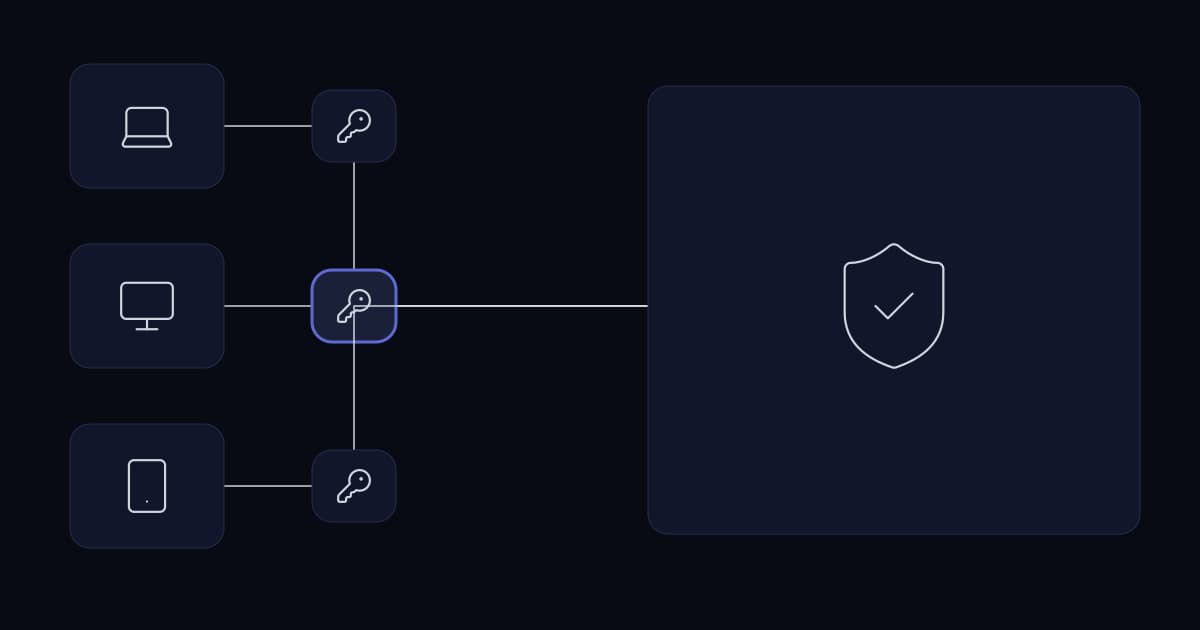
A laptop belonging to someone in accounts is compromised. It has a VPN client, configured months ago so they could work from home. The credentials are valid, the connection succeeds, and from that moment the attacker is inside the network with everything that person could reach. In most businesses, that is everything: the file server, the accounts system, the CRM, the phone system's admin interface, the NAS, the switches.
The business impact is not that one laptop was compromised. Laptops get compromised; that is a cost of operating. The impact is that the blast radius of a single credential turned out to be the entire estate, and nobody made that decision deliberately. It was inherited from a VPN configured to answer one question — can this person reach the network — when the question that determines your exposure is a different one: what should this person reach once they are on it.
That is the engineering reframing this article is built on. Remote access is not a connectivity problem with a security bolt-on. It is an authorisation problem that happens to involve a tunnel, and the tunnel is the least interesting part of it.
Three different things are called a VPN
Search for business remote access and the results will mix three unrelated technologies under one name, including consumer products that solve no problem your business has. Separating them takes a paragraph and removes most of the confusion.
| Type | Purpose | Who it serves | Relevance to your business |
|---|---|---|---|
| Consumer VPN | Moves the exit point of an individual's internet traffic and hides it from the local network and ISP | An individual seeking privacy on untrusted networks | None for corporate access. It connects a person to the vendor's network, not to yours |
| Remote access VPN | Connects one user's device to your internal network over an encrypted tunnel | Staff and contractors working away from the office | The default answer, and the one most often deployed without segmentation |
| Site-to-site VPN | Connects two networks so hosts on each can reach the other continuously | Branch offices, data centres, cloud environments | Infrastructure. Set up once, runs unattended, no user involvement |
The first row matters because it dominates search results for business queries and shapes expectations wrongly. A consumer VPN improves an individual's privacy on a hostile network. It grants no access to your systems and enforces no policy about what anyone may reach. Conflating it with the other two is how a business ends up believing it has addressed remote access because staff were told to install something.
What you are actually protecting
The traditional model treats the network boundary as the security boundary: inside is trusted, outside is not, and remote access is the controlled door between them. It worked when the things worth protecting were physically inside a building. It stopped describing reality once the CRM moved to a vendor's cloud, the accounts system moved to a hosted platform, and half the staff started working from home.
NIST published the alternative framing as SP 800-207, Zero Trust Architecture, in August 2020. It defines zero trust as an evolving set of cybersecurity paradigms that move defences from static, network-based perimeters to focus on users, assets, and resources, and describes a zero trust architecture as one focused on protecting resources — assets, services, workflows, network accounts — rather than network segments.
That last clause is the entire idea, and it is worth restating in business terms. Under the perimeter model, you grant a person access to a network and they inherit everything on it. Under the resource model, you grant a person access to a specific thing, and reaching the network grants nothing by itself. Everything else in this article is a consequence of choosing the second.
A note on the source landscape, because it explains why this topic is served so badly. The current authoritative federal guidance specifically on remote access is NIST SP 800-46 Revision 2, Guide to Enterprise Telework, Remote Access, and Bring Your Own Device Security. It remains current and it was published in July 2016 — before the shift to hybrid work that created most of today's demand. Its principles hold; its assumptions about how many people work remotely and from what devices do not. The gap between rigorous but dated guidance and current practice has largely been filled by vendors selling products, which is why so much of the available material is a comparison of tunnels.
Identity is the control, not the tunnel
If access decisions are about resources rather than networks, the thing making the decision has to know who is asking. That makes identity the load-bearing control, and the encrypted tunnel a transport detail underneath it.
Where multi-factor authentication belongs
MFA on the VPN gateway is the common deployment and it is necessary rather than sufficient. It establishes that the person opening the tunnel is probably who they claim to be, once, at the start of a session that may last all day. It says nothing about what they do afterwards and nothing about whether the individual systems behind it are protected.
The more useful placement is both: at the gateway, so an attacker with a stolen password cannot establish the tunnel, and again at the sensitive systems behind it, so a compromised session cannot silently reach the accounts platform or the server console. Businesses resist the second on the assumption it will frustrate staff, and it is worth testing that assumption rather than accepting it — a prompt when opening the payroll system a few times a month is a very different experience from a prompt on every action.
Conditional access: policy that reads context
Conditional access is the mechanism that makes identity-based control practical rather than binary. Microsoft describes its implementation as a policy engine that brings signals together, makes decisions, and enforces organisational policy, and characterises the policies themselves as if-then statements: if a user wants to access a resource, then they must complete an action.
The signals available are the useful part. Microsoft documents policies that can act on the user or group, IP location information including whole countries, the device platform and state, the specific application being accessed, and real-time risk detection. The decisions available run from blocking access outright to granting it subject to conditions: requiring multi-factor authentication, requiring a defined authentication strength, requiring the device to be marked compliant, requiring a hybrid-joined device, or requiring an approved client application.
One documented detail deserves emphasis because it is routinely misunderstood: conditional access policies are enforced after first-factor authentication has completed. It is not the front door. It is the control that decides what happens once someone has presented a credential, which is precisely the decision the perimeter model never made.
Certificates and device trust
A password proves, weakly, something about the person. A client certificate issued to a managed device proves something about the machine. They answer different questions and a serious remote access design uses both, because the combination excludes the most common attack: valid credentials presented from an attacker's own hardware.
Certificate-based authentication also changes what offboarding means, in a way that matters later in this article. Disabling an account stops a password working. It does not by itself stop a certificate already installed on a device that has left the building, unless that certificate is revoked and the gateway checks revocation. Designs that treat account disablement as complete offboarding have a gap they usually discover during an audit.
Choosing a topology
There are more options than remote access VPN, and several are simpler and narrower for the cases they fit. The right selection usually combines two or three rather than standardising on one.
| Approach | What the user reaches | Fits | Main weakness |
|---|---|---|---|
| Remote access VPN | A network, scoped by whatever segmentation exists | Staff needing several internal systems, including thick-client applications | Grants network reach by default; useless without segmentation behind it |
| ZTNA or identity-aware proxy | Named applications only, per policy, per session | Cloud-first businesses; contractors; anyone who needs two or three systems | Application-aware, so awkward for arbitrary protocols and legacy software |
| Reverse proxy | One published web application | Exposing a single internal web app to authenticated users | Web protocols only; becomes an attack surface that must be patched |
| Bastion or jump host | One hardened machine, from which they reach others | Administrative access to servers and network devices | A high-value target; needs its own hardening, MFA and session recording |
| RDP gateway | Published desktops or applications over a brokered, authenticated channel | Windows desktop access without exposing RDP to the internet | Still a session into a desktop; the desktop needs the same controls as any endpoint |
| Site-to-site VPN | A whole remote network, continuously | Branch offices, cloud environments, partner data centres | Joins two blast radii together unless policy restricts what crosses |
Two rows are consistently underused. A bastion host for administrative access is a decades-old pattern that remains the cleanest way to keep server and switch management off the general network, and it gives you one place to enforce MFA and record sessions. An identity-aware proxy is frequently the right answer for the small set of applications a contractor needs, because it grants exactly those and nothing else without any network membership at all.
ZTNA and traditional VPN are not competitors on every axis
The marketing framing is that ZTNA replaces the VPN. The engineering reality is that they operate at different layers: a VPN grants network reachability, ZTNA grants application access. Where every system a user needs is an application that a proxy can front, ZTNA is a genuinely better fit and produces a smaller blast radius by construction. Where the requirement includes a legacy client-server application, a device that speaks an unusual protocol, or an engineer who needs to reach a switch console, a tunnel is still the practical answer.
Most growing businesses end up with both, and that is not a failure of planning. The useful discipline is to default to the narrowest mechanism that satisfies each requirement rather than routing everyone down the widest one because it was configured first.
Split tunnel or full tunnel
In a full tunnel, all of the user's traffic goes through your gateway, including their web browsing. In a split tunnel, only traffic destined for your networks does, and everything else goes out through their own connection. This is often presented as a security decision with a correct answer, and it is more accurately a trade with different answers for different businesses.
| Full tunnel | Split tunnel | |
|---|---|---|
| You can inspect and filter | All of the user's traffic | Only traffic to your systems |
| Bandwidth and gateway load | Everything, including video calls and streaming | Only what is genuinely internal |
| User experience | Degrades with distance; conferencing suffers | Unaffected for everything external |
| Fits | Regulated environments where egress must be controlled and logged | Cloud-first businesses where most work never touches the internal network |
| Common failure | Users disconnect the VPN to get work done, defeating it entirely | Assuming it is insecure and reaching for full tunnel without needing egress control |
The failure mode in the last row of the full tunnel column is the one to weigh most heavily. A control that people routinely bypass because it makes their work slower provides less protection than a narrower control they leave enabled, and it does so while giving the business a false picture of coverage.
Segmentation is the control that limits the damage
Everything above governs who gets in. Segmentation governs how much of the business is exposed when that judgement turns out to be wrong, and it is the single control that most changes the outcome of an incident.
The failure pattern is a flat internal network: one broadcast domain, or several with routing between them and no filtering, where any connected device can reach any other. A remote access VPN that terminates onto a flat network has not moved the security boundary outward. It has extended it to include every laptop that holds a working credential.
The practical starting point is not a redesign. It is to write down which groups of people need which groups of systems, which usually reveals that the current answer — everyone reaches everything — was never a decision.
| Group | Should reach | Should never reach |
|---|---|---|
| General staff, remote | File shares, line-of-business applications, printers at their site | Server management interfaces, switch and firewall administration, other sites' internal networks |
| Finance | The above, plus the accounts system and payroll | Everything above, plus development and test environments |
| IT administrators | Management interfaces, via a bastion host with MFA and session recording | Nothing structurally, but administrative reach should require an explicit, logged step |
| Contractors | The specific systems named in their contract, for its duration | Everything else, including general file shares and the wider network |
| Devices and appliances | Only what they need: printers, cameras, door controllers, VoIP handsets on their own segments | The general user network and the internet, in most cases |
VLANs are the usual mechanism for separating those groups at the network layer, with filtering between them enforced at a firewall or layer-three switch rather than left to routing. The detail of designing that scheme — addressing, inter-VLAN policy, east-west traffic — is a subject in its own right and is covered separately. What belongs in a remote access design is the decision about which segment a remote user lands in, and the answer should almost never be the same one the servers are on.
It is worth noting that some protocols make this alignment natural. WireGuard's cryptokey routing associates each peer's public key with a set of allowed IP addresses, which means the routing configuration and the access control list are the same object. Where a design uses it, the question of what a given peer may reach cannot be left unanswered, because answering it is how the tunnel is configured at all.
Where the tunnel terminates
The VPN concentrator is the device that terminates tunnels and applies policy, and its placement carries three consequences that are easy to defer and expensive to revisit.
- 1
It is a capacity decision
Encryption throughput, not internet bandwidth, is usually the ceiling. A firewall that comfortably routes a site's traffic may not terminate fifty simultaneous full tunnels. Size against realistic concurrency, and remember that full tunnel multiplies it.
- 2
It is a single point of failure
If remote access is how people work, the concentrator is production infrastructure. That means a plan for its failure — a second appliance, a documented failover, or an accepted and stated outage window — rather than discovering the dependency during an incident.
- 3
It is the policy enforcement point
This is where segmentation for remote users is applied. Terminating into a segment with no filtering onward is the configuration that produces the scenario at the top of this article.
- 4
Its location determines the traffic path
Terminating on-premises when most systems are in the cloud sends remote users to the office and back out again. Where the resources are cloud-hosted, terminating at a cloud gateway is usually both faster and simpler.
Contractors and third parties
Third-party access is the hardest case and the one most often handled by exception. A contractor needs access for six weeks, someone creates an account with the same profile as a permanent member of staff because that is the template that exists, and the account is still active two years later.
- Give them their own identity rather than a shared account, so activity is attributable and revocation is surgical.
- Set an expiry date at creation, matched to the contract, so the default outcome is that access ends.
- Grant the specific systems named in the engagement, not a group membership that happens to include them.
- Prefer an identity-aware proxy or a bastion over network membership, so there is no general network reach to forget about.
- Require MFA without exception, including for a two-week engagement.
- Log their sessions separately and review them, because third-party access is the category least likely to be noticed when it is misused.
The second item does most of the work. An account that expires by default fails safe; an account that must be remembered fails open, and the person who would have remembered has usually moved on to the next project.
Branch offices and cloud connectivity
Site-to-site connectivity is a different problem from user access: it runs unattended, it carries traffic in both directions, and it joins two networks that each have their own security posture.
The mechanism is well standardised. IPsec, whose architecture is defined in RFC 4301, has always included a policy component that businesses tend to ignore: a Security Policy Database that classifies traffic crossing the boundary as PROTECT, BYPASS or DISCARD, with selectors on addresses, protocols and ports. In other words, the standard assumes you will decide what may cross, rather than joining two networks wholesale. The default configuration in most deployments does the opposite.
The practical consequence for a multi-site business is that a branch tunnel should carry the traffic the branch needs and not simply merge two address spaces. If a compromise at the smaller site can reach the head office file server because the tunnel permits everything, the two sites now share a blast radius that nobody chose.
Cloud connectivity follows the same reasoning with one addition. A site-to-site tunnel into a cloud environment is appropriate when you run servers there that need to be reachable privately. It is not appropriate as a way to reach software-as-a-service, and building one for that reason creates a network path where an authenticated web session would have done. That distinction leads directly into the next section.
When a VPN is the wrong answer
Three cases come up regularly where deploying remote access adds risk rather than reducing it, and they are worth stating because no vendor in this category will.
The first is a business whose systems are already software-as-a-service. If the CRM, the accounts platform, email and file storage are all cloud services reached over the web, and each is protected by single sign-on with MFA and conditional access, a VPN adds a network path that did not previously exist and a gateway that must be patched. The access control you want is already available at the identity layer, and adding a tunnel underneath it protects nothing.
The second is a single application. If the requirement is that ten people reach one internal web system, publishing that one application through a reverse proxy or an identity-aware proxy is narrower, simpler, and does not grant network reach as a side effect.
The third is administrative access, where a general-purpose VPN is the wrong shape rather than unnecessary. Administrators need a hardened, monitored, session-recorded path to management interfaces, and that is a bastion host, not the same tunnel the sales team uses.
Logging, monitoring and offboarding
Remote access generates the evidence you will need during an incident, and it is usually configured to generate very little of it.
- Connection events with identity, source address, device identifier and duration — not just an IP and a timestamp.
- Authentication failures, and specifically the pattern of failures across accounts, which is what credential stuffing looks like from the inside.
- What was reached, at least at the level of which segments or applications a session touched.
- Administrative sessions in full, including session recording where a bastion is used.
- Retention long enough to investigate something discovered weeks later, which is the realistic discovery timeline.
Alerting deserves the same treatment described for integrations elsewhere in this series: the absence of expected activity is a signal, and so is its opposite. A connection from an unusual country, a first-ever connection from a service account, or an administrator session outside working hours are all worth surfacing, and none of them appears in a log nobody reads.
Offboarding is where remote access fails quietly
The moment a person leaves is the moment their access should end, and in practice it frequently does not, because access lives in more places than the directory. A complete offboarding for remote access covers the account, any certificate issued to their device, any MFA enrolment, any shared credential they knew, and any exception created for them and never removed.
The same discipline applies to systems rather than people, and is the direct counterpart of the credential lifecycle described in the API integration article: an integration authenticated as a named employee inherits their offboarding, which is why it breaks on their last day. Remote access has the mirror-image version of that problem — access that should have ended and did not.
A quarterly access review is the unglamorous control that catches all of it. Take the list of accounts with remote access, take the list of current staff and active contracts, and reconcile them. The first time this is done in a business that has never done it, the result is reliably uncomfortable and reliably worth the afternoon.
A representative scenario
A composite of situations we see repeatedly; no client detail is included.
A company with a head office, a second site and roughly forty remote staff had a remote access VPN terminating on the head office firewall, and a site-to-site tunnel between the two offices. It worked, and had worked for years. The review that prompted the change was an insurance questionnaire asking what a compromised remote user could reach.
The answer was everything. Remote users terminated into the same segment as the servers. The site-to-site tunnel carried all traffic in both directions. Administrative interfaces for the firewall, the switches and the phone system were reachable from any connected device. Nine accounts with active remote access belonged to people who had left, two of them more than a year earlier, and one belonged to a contractor whose engagement had ended the previous summer.
The remediation was sequenced by cost of being wrong rather than by effort. Dormant accounts were disabled and their certificates revoked the same week. Administrative access moved behind a bastion host with MFA and session recording, which removed management interfaces from the general network entirely. Remote users were moved to their own segment with an explicit list of what it could reach. The site-to-site tunnel was narrowed to the services the branch actually used. MFA was added at the gateway and again in front of the accounts system.
None of that required replacing the firewall or buying a zero trust platform. It required deciding what each group should reach and configuring the equipment already in place to enforce it, which is work that had simply never been scheduled.
Implementation checklist
- An access model exists on paper: which groups of people reach which groups of systems, agreed by the people who own those systems.
- Remote users terminate into their own segment, not the segment the servers are on.
- Traffic between segments is filtered at a firewall or layer-three switch, not merely routed.
- MFA is enforced at the gateway and again in front of the systems where being wrong is expensive.
- Device identity is verified as well as user identity, using certificates issued to managed devices.
- Administrative access uses a hardened bastion with MFA and session recording, not the general-purpose tunnel.
- Contractor accounts carry an expiry date set at creation and grant named systems rather than group membership.
- Site-to-site tunnels carry the traffic the remote site needs, not the whole address space.
- The concentrator has been sized for realistic concurrency, and its failure has a documented plan.
- Split versus full tunnel was a deliberate decision recorded with its reason, not a default.
- Logs capture identity, device, duration and what was reached, and are retained long enough to investigate a late discovery.
- Offboarding revokes certificates and MFA enrolments as well as disabling accounts.
- A quarterly reconciliation of accounts with remote access against current staff and contracts is scheduled and owned by name.
Frequently asked questions
What is secure remote access?
Secure remote access is the set of controls that allow people working away from an office to reach the systems they need without granting them, or anyone who compromises their device, reach across the whole estate. It combines four things: an encrypted transport such as a VPN tunnel or an identity-aware proxy; verification of who is asking, usually through multi-factor authentication and a certificate identifying the device; a decision about which resources that verified person may reach; and enough logging to reconstruct what happened afterwards. The encrypted transport is the part most often discussed and the least decisive; the authorisation decision behind it determines the actual exposure.
What is the difference between a consumer VPN and a business VPN?
They solve unrelated problems despite sharing a name. A consumer VPN routes an individual's internet traffic through a provider's server, hiding it from the local network and the internet service provider; it connects the user to the provider's network and grants no access to any company system. A business remote access VPN connects an employee's device to the organisation's own network so they can reach internal systems, and enforces the organisation's policy about who may connect. A site-to-site VPN is different again: it links two networks continuously, such as a branch office to a head office, and involves no user action at all.
Do we still need a VPN if we use zero trust?
Often yes, because they operate at different layers rather than being alternatives. Zero trust is an architectural approach, defined by NIST as focusing defences on users, assets and resources rather than on network perimeters, and protecting resources rather than network segments. A VPN grants network reachability; a zero trust network access solution grants access to named applications. Where every system a user needs is an application that can be fronted by a proxy, application-level access is the better fit and produces a smaller blast radius. Where the requirement includes legacy client-server software, unusual protocols, or engineers reaching device consoles, a tunnel remains the practical mechanism — used alongside zero trust principles rather than instead of them.
Should we use split tunnel or full tunnel?
It is a trade rather than a security absolute. Full tunnel routes all of a user's traffic through the corporate gateway, which allows inspection and control of everything they do but consumes bandwidth and gateway capacity, degrades video conferencing, and is appropriate mainly where egress must be controlled and logged for regulatory reasons. Split tunnel routes only traffic destined for company systems through the tunnel, which performs better and is usually right for businesses whose applications are largely cloud-hosted. The decisive practical consideration is that a full tunnel which people disconnect in order to get work done protects less than a split tunnel they leave enabled.
How do you give contractors access safely?
Give each contractor an individual identity rather than a shared account, so activity is attributable and access can be revoked precisely. Set an expiry date at the point of creation, matched to the contract, so that access ending is the default outcome rather than something someone must remember. Grant the specific systems named in the engagement instead of adding them to a group that carries broader permissions. Prefer an identity-aware proxy or a bastion host over full network membership, so there is no general network reach to overlook later. Require multi-factor authentication regardless of engagement length, and log third-party sessions separately, because third-party access is the category least likely to be noticed when it is misused.
What is the most common mistake in remote access design?
Terminating remote users onto a flat internal network. A great deal of attention typically goes into the tunnel and the authentication in front of it, and then the connection lands in a segment from which every internal system is reachable. The result is that the blast radius of one compromised laptop is the entire estate, which is rarely a decision anyone made deliberately. The correction does not usually require new equipment: place remote users in their own segment, filter what that segment can reach rather than merely routing it, and move administrative access to a separate hardened path.
Conclusion
The businesses with defensible remote access are rarely the ones with the newest appliance. They are the ones where somebody wrote down which groups of people need which systems, put remote users somewhere other than the server segment, required proof of both the person and the device, gave administrators a separate hardened path, and scheduled a reconciliation that catches the accounts nobody closed.
Almost all of that is configuration of equipment most businesses already own, and almost none of it is a purchase. The question a remote access design has to answer is not whether people can connect. It is what they reach when they do, and how much of the business is exposed on the day one of those connections turns out to belong to somebody else.
Sources and further reading
- API integration for modern businesses— the credential lifecycle and offboarding problem, in its machine-to-machine form
- AI integration without replacing existing systems— where systems run, and what that means for data residency
- CRM integration best practices— the systems this access exists to reach
- n8n workflow automation for modern businesses— governance for platforms holding credentials to everything
- Building reliable call centre infrastructure— where remote agents fit, and why voice needs its own access design
- Network segmentation for growing businesses— the control that decides what a remote user reaches once connected
- Secrets management for business systems— rotating the certificates and credentials this architecture depends on
- Firewall strategy for growing businesses— policy design at the enforcement point these tunnels terminate on
- Access control and offboarding— revoking certificates and accounts when someone leaves
- VPN deployment: a practical guide— the mechanics once the topology is chosen
- MFA strategy for business— which factors resist phishing, and where to deploy them first
- Zero trust architecture for growing businesses— the full architecture this article introduces in principle
- NIST SP 800-207: Zero Trust Architecture— protecting resources rather than network segments
- NIST SP 800-46 Rev. 2: Guide to Enterprise Telework, Remote Access, and BYOD Security
- Microsoft: Conditional Access overview— signals, decisions, and the point at which policy is enforced
- RFC 4301: Security Architecture for the Internet Protocol— the IPsec Security Policy Database — PROTECT, BYPASS, DISCARD
- WireGuard— cryptokey routing, where the routing table is the access control list
Services This Relates To
Written by KYCONNECTS Engineering.